
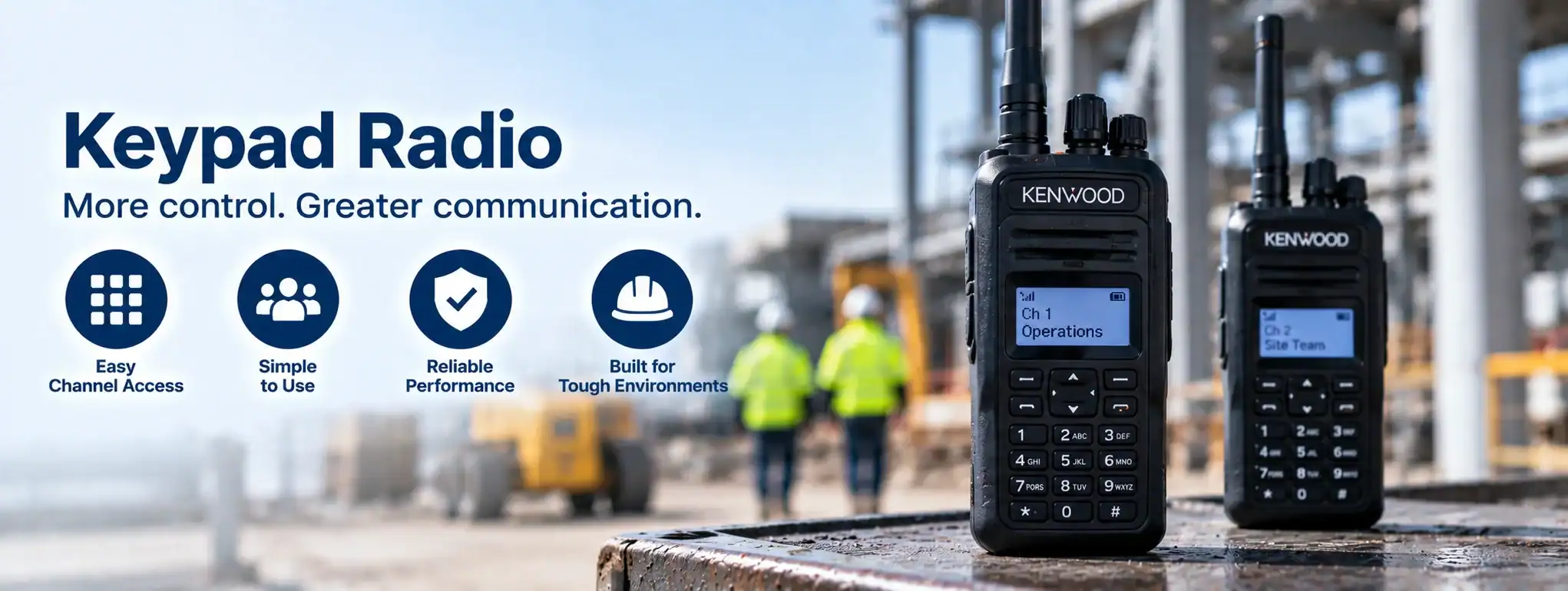
Keypad Radio
A Keypad Radio is a two-way radio fitted with a physical keypad that allows the user to enter numbers, letters or commands directly into the radio.
Keypad radios are generally more advanced than basic radios with only a small number of buttons. They can provide additional control over radio functions and, on compatible digital systems, can support features such as text messaging, individual calling, contact selection and menu navigation.
What is a keypad radio?
A keypad radio has buttons arranged in a keypad, typically including numerical keys and additional function buttons.
Depending on the model, the keypad can be used to:
- Enter numbers
- Select contacts
- Navigate menus
- Send text messages
- Make individual calls
- Change channels
- Access radio settings
- Enter identification information
- Control supported radio functions
The exact functionality depends on the radio model and system configuration.
Keypad radio vs non-keypad radio
A basic two-way radio may have only a few physical controls, such as:
- PowerAn antenna transmits and receives radio-frequency signals, allowing a two-way radio to communicate. Antenna type, frequency, height and location can all affect radio performance and coverage. button
- Volume control
- ChannelA two-way radio channel is a programmed set of communication settings, typically including frequency and signalling, that allows compatible radios to communicate with one another. selector
- Push-to-talk button
A keypad radio provides additional buttons for entering information and accessing functions directly.
This can make a keypad radio more suitable for users who need access to advanced communication features.
Keypad radios and digital radio
Keypads are particularly useful on digital two-way radios because digital systems can provide features beyond straightforward voice communication.
Depending on the system, a keypad radio may support:
- Individual calls
- Group calls
- Text messaging
- Status messages
- Contact lists
- GPS functions
- Radio configuration
- Emergency functions
Keypad radios and DMR
A DMR (Digital Mobile RadioA Mobile Radio is a two-way radio designed to be installed in a vehicle. It normally uses the vehicle's power supply and an external antenna to provide reliable communication while travelling or working in the field.) keypad radio can use its keypad to access features provided by the digital radio systemA Radio System is a complete communication solution comprising two-way radios and, where required, equipment such as repeaters, antennas, base stations, mobile radios and network infrastructure..
For example, a user may be able to select a contact and initiate an individual call without needing to communicate through a dispatcher.
The available features depend on the radio and DMR system.
Keypad radios and individual calls
A keypad can allow users to enter or select a specific radio ID or contact.
This can be used to initiate an Individual Call where supported.
For example:
Keypad → Contact / Radio ID → Individual Call
This can be useful when a user needs to communicate privately with a particular member of the team rather than an entire group.
Keypad radios and group calls
Keypad radios can also provide access to configured Call Groups or talkgroups.
The user can select the required group and communicate with other members of that group.
Keypad radios and text messaging
Some digital keypad radios support text messaging.
The physical keypad can be used to compose messages, depending on the radio’s design.
This can be useful when a short written instruction is more appropriate than a voice transmissionTransmission is the process of sending voice, data or signalling from a radio using a radio-frequency signal to another radio, repeater or communication system..
Keypad radios and contact lists
A keypad radio may include a contact list containing radio users, groups or other communication destinations.
The user can navigate the list using the keypad and display controls.
This can make it easier to select the required person or group without manually entering a radio ID.
Keypad radios and GPS
Some keypad radios include GPS functionality.
The keypad and display can allow users to access location-related functions or select GPS contacts and features where supported.
GPS information may also be transmitted to a compatible dispatch or management system.
Keypad radios and emergency functions
A keypad radio can provide access to emergency functions in addition to a dedicated emergency buttonAn Emergency Button is a dedicated two-way radio control that allows users to quickly send an emergency alert to a dispatcher, control room or authorised radio users. where fitted.
Depending on the model, emergency features can include:
- Emergency CallAn Emergency Call is a priority two-way radio function that allows a user to quickly request assistance and, on supported systems, establish an urgent voice communication with a dispatcher or control room.
- Emergency AlarmAn Emergency Alarm allows a two-way radio user to quickly alert a dispatcher, control room or other authorised users that assistance may be required.
- Man-Down
- Lone WorkerA Lone Worker is someone who works without direct supervision or immediate assistance nearby. Compatible two-way radios can provide safety features such as timed check-ins, emergency alerts and GPS location.
- Emergency signalling
The exact operation depends on the radio and system configuration.
Keypad radios and menus
The keypad allows users to navigate the radio’s menu system.
Menu options can provide access to features such as:
- Contacts
- Channels
- Scan
- Messaging
- Radio information
- GPS
- Settings
- Call history
The available menus vary between models.
Keypad radios and displays
Keypad radios are often fitted with a larger display than basic radios.
The display can show information such as:
- Channel name
- Talkgroup
- Contact
- Battery level
- Signal information
- Messages
- GPS information
- Radio status
A larger display can make advanced radio functions easier to use.
Keypad radios and channel selection
The keypad can provide additional ways to select or change channels.
Instead of simply turning a channel knob, users may be able to navigate a channel list through the radio’s menu.
This can be particularly useful where a radio has a large number of programmed channels.
Keypad radios and channel scan
A compatible keypad radio can provide Channel ScanChannel Scan is a two-way radio feature that automatically monitors multiple programmed channels for activity, allowing users to hear communications without manually switching between channels. functionality.
Users may be able to select or configure scan lists through the radio’s keypad and display.
This allows the radio to monitor multiple channels according to its programming.
Keypad radios and encryption
Where supported, a keypad radio may provide access to configured EncryptionEncryption protects two-way radio communications by converting voice or data into a secure form that can only be understood by authorised radios with the correct encryption capability and keys. features.
The user may be able to select encrypted communication channels or contacts.
Encryption capabilities vary between radio models and systems.
Keypad radios and Bluetooth
Some keypad radios support Bluetooth®Bluetooth® is a short-range wireless technology used with compatible two-way radios to connect accessories such as headsets, earpieces and microphones without a physical cable..
This can allow compatible wireless accessories such as headsets or earpieces to connect to the radio.
The keypad remains available for controlling radio functions while the user communicates through the wireless accessory.
Keypad radios and rugged environments
A keypad does not determine whether a radio is rugged or suitable for harsh environments.
A keypad radio can still have features such as:
- Dust protection
- Water resistance
- Impact resistance
- Rugged construction
The specific IP Rating and durability specifications depend on the radio model.
Keypad radios and hazardous areas
A keypad radio should not automatically be considered suitable for hazardous environments.
Where an Intrinsically Safe RadioAn Intrinsically Safe Radio is a two-way radio designed and certified for use in specified hazardous areas where flammable gases, vapours or combustible dust could create a risk of explosion. or ATEX-certified equipment is required, the specific radio and its accessories must have the appropriate certification.
Keypad radios and accessories
Keypad radios can be used with compatible accessories such as:
- Speaker microphones
- Earpieces
- Headsets
- Remote PTTs
- Batteries
- Charging docks
- Belt clips
Only accessories approved for the particular radio should be used where certification or environmental protection is important.
Keypad radios and radio programming
The keypad provides access to functions that have been enabled through the radio’s programming.
The radio’s CodeplugA Codeplug is the configuration data programmed into a two-way radio that defines its channels, frequencies, talkgroups, radio ID and other operating features. can determine:
- Channels
- Talkgroups
- Contacts
- Scan lists
- Buttons
- Features
- Emergency settings
The same physical keypad radio can therefore behave differently depending on how it has been programmed.
Keypad radios and radio IDs
Digital radio systems can use individual radio IDs to identify users.
A keypad may allow a user to enter or select a radio ID when making an individual call or sending a message.
Keypad radios and call history
Some keypad radios maintain a call history.
This can allow users to review previous:
- Individual calls
- Missed calls
- Received calls
- Outgoing calls
The exact history functions depend on the model.
Keypad radios and radio hire
Keypad radios can be supplied for Radio HireRadio Hire is the temporary rental of two-way radios and related communication equipment for events, projects and operational requirements, providing professional communication without purchasing the equipment. where users require advanced communication features during temporary operations.
They may be useful for:
- Events
- Security
- Construction
- Transport
- Large venues
- Temporary projects
For simple voice communication, however, a basic radio without a keypad may be easier and more cost-effective.
Keypad radios for events
Keypad radios can be useful at larger events where users need access to multiple communication groups or individual contacts.
For example, event managers may need to communicate separately with:
- Security
- Operations
- Production
- Technical teams
- Management
A keypad and display can make switching between groups and contacts easier.
Keypad radios for security
Security personnel can use keypad radios to communicate with specific colleagues or groups.
Individual calling can be useful where a conversation does not need to involve the entire security team.
Keypad radios for transport
Transport operators can use keypad radios where drivers, supervisors and control staff need access to multiple communication groups.
The keypad can provide easier access to contacts and system functions.
Keypad radios for construction
Construction teams may use keypad radios where multiple channels or communication groups are required.
The display and keypad can make it easier to identify and select the appropriate channel or group.
Keypad radios for business
Businesses with more complex communication requirements may benefit from keypad radios where users need functions beyond basic push-to-talk communication.
They can be particularly useful when the radio system incorporates digital messaging, individual calling or GPS.
Keypad radios and dispatch
A keypad radio can work alongside a Dispatch system.
The dispatcher can communicate with individual users or groups, while the radio user can use the keypad to select contacts or access supported functions.
Keypad radios and job tracking
Where a radio system is integrated with Job TrackingJob Tracking is the process of monitoring the progress, status and, where supported, location of a job or field worker from assignment through to completion, often using GPS, radio and dispatch systems. or job-management software, a keypad radio may provide additional ways for users to interact with jobs, messages or contacts.
The exact functionality depends on the software and radio system.
Keypad radios and cloud systems
Some advanced radio systems connect to cloud-based platforms.
A keypad radio may then form part of a wider communication system incorporating:
- Cloud DispatchCloud Dispatch is a cloud-based radio management and communication system that allows authorised dispatchers to communicate with, monitor and manage two-way radio users through an internet-connected platform.
- GPS
- Messaging
- Fleet ManagementFleet Management is the process of managing a two-way radio fleet, including equipment, users, programming, maintenance, firmware, security and radio system configuration.
- Job Tracking
- Radio management
The keypad provides the user interface on the radio itself.
Keypad radios and interoperability
A keypad radio does not automatically provide InteroperabilityInteroperability is the ability of different communication systems, devices or organisations to work together and exchange information. In two-way radio, it can connect different radio networks, technologies or users through compatible systems or gateways. between different radio systems.
Compatibility depends on the underlying radio technology, frequencies, protocols and system configuration.
Keypad radios and user training
Keypad radios provide more functions than basic two-way radios, so users may require additional training.
Users should understand how to:
- Select channels
- Select groups
- Make individual calls
- Send messages
- Access emergency functions
- Use the menu system
- Operate the radio safely
For simple operations, a radio with fewer controls may sometimes be preferable.
Advantages of keypad radios
Keypad radios can provide:
- More control over radio functions
- Individual calling
- Contact selection
- Text messaging
- Easier menu navigation
- Access to advanced digital features
- Greater flexibility for complex radio systems
Limitations of keypad radios
Keypad radios can also have disadvantages.
They may:
- Be more expensive than basic models
- Require more user training
- Have more complicated menus
- Be less suitable for users who only require push-to-talk communication
The right choice depends on the operational requirements.
Choosing a keypad radio
When selecting a keypad radio, consider:
- Analogue or digital operation.
- Required radio technology.
- Number of channels and groups.
- Individual calling requirements.
- Messaging requirements.
- GPS requirements.
- Emergency functions.
- Required IP rating.
- Battery life.
- Required accessories.
- Whether hazardous-area certification is required.
- The level of user training required.
Keypad radios and DCS
DCS can supply professional two-way radios with keypad and display functionality for organisations that need more advanced control over their communication system.
Keypad radios can be particularly useful where users need individual calling, contact selection, messaging, multiple communication groups or other digital radio functions.
The appropriate radio depends on the system, environment and features required.