
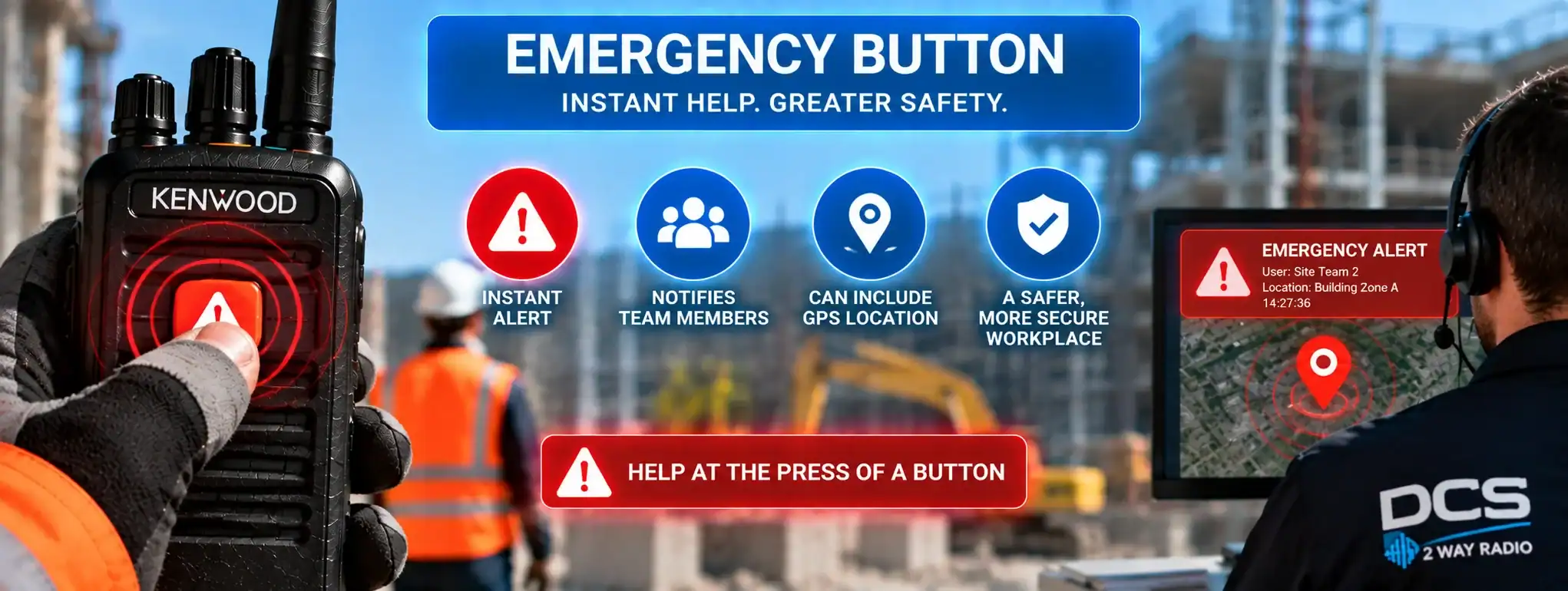
Emergency Button
An Emergency Button is a dedicated button on a professional two-way radio that allows the user to quickly activate the radio’s emergency function. When pressed, the radio can send an emergency alert to a dispatcher, control room, supervisor or other authorised radio users, depending on how the radio systemA Radio System is a complete communication solution comprising two-way radios and, where required, equipment such as repeaters, antennas, base stations, mobile radios and network infrastructure. has been configured.
Emergency buttons are designed to provide a rapid way of requesting assistance when making a normal radio call may be difficult, unsafe or impractical.
They are commonly found on professional radios used for security, events, construction, transport, lone-worker applications and other operational environments.
How does an Emergency Button work?
The Emergency Button is normally connected to the radio’s programmed emergency function.
When the user activates it, the radio sends an emergency signal through the radio networkA Network is a connected system of radios, equipment and infrastructure that allows users to communicate across a defined area. Radio networks can range from simple radio-to-radio systems to large multi-site networks..
A typical sequence is:
Emergency Button → Radio → RepeaterA Repeater receives a two-way radio transmission and retransmits it, usually from an elevated location, to extend the coverage and reliability of a radio communication system. or Network → Dispatcher / Control Room
The receiving system may display an emergency notification and identify the individual radio that raised the alert.
Depending on the equipment, the radio may also initiate an emergency voice transmissionTransmission is the process of sending voice, data or signalling from a radio using a radio-frequency signal to another radio, repeater or communication system., activate a microphone automatically or send location information.
Where is the Emergency Button located?
On many professional handheld radios, the Emergency Button is located on the top or upper section of the radio.
This makes it possible for the user to locate it quickly without looking at the radio.
The button may be physically distinct from the other controls to reduce the chance of accidentally activating it during normal operation.
The exact position varies between manufacturers and radio models.
Activating the Emergency Button
The method used to activate an emergency function varies between radios.
Some radios require the button to be pressed once, while others require it to be held for a specified period.
A delay can help prevent accidental activation when the radio is being handled.
The activation method should be explained to users before the radios are deployed.
Emergency Button and Emergency Alarm
The Emergency Button is the physical control used to activate an Emergency AlarmAn Emergency Alarm allows a two-way radio user to quickly alert a dispatcher, control room or other authorised users that assistance may be required..
The two terms describe different parts of the same function:
Emergency Button: the button on the radio.
Emergency Alarm: the alert generated by the radio system after the button is activated.
Pressing the button therefore does not necessarily mean that an audible alarm will sound from the radio itself. The resulting action depends on the radio’s programming and network configuration.
Emergency Button and Emergency Call
An Emergency Button may activate an Emergency CallAn Emergency Call is a priority two-way radio function that allows a user to quickly request assistance and, on supported systems, establish an urgent voice communication with a dispatcher or control room. as part of the radio’s emergency function.
An emergency call can provide a higher-priority communication path to a dispatcher or designated users.
Some systems use the button to generate an alarm first and then establish an emergency voice communication.
The exact sequence depends on the radio system.
Emergency Button and DMR
Professional DMR (Digital Mobile RadioA Mobile Radio is a two-way radio designed to be installed in a vehicle. It normally uses the vehicle's power supply and an external antenna to provide reliable communication while travelling or working in the field.) radios commonly provide programmable emergency functionality.
A DMR radio can send an emergency indication through a compatible repeater or network to a designated recipient or dispatch system.
The radio may identify itself using its Radio ID, allowing the system to determine which radio activated the emergency function.
The exact behaviour depends on the radio manufacturer, network and configuration.
Emergency Button and Radio ID
Digital radio systems can associate an emergency activation with the individual radio that generated it.
For example, when a radio sends an emergency signal, the receiving system may use the radio’s Radio ID to identify the device.
A dispatcher can therefore potentially see which radio has raised the emergency alert.
In a large radio fleet, this can help the control room identify the user requiring assistance.
Emergency Button and dispatch
A Dispatch system can receive emergency notifications from compatible radios.
Depending on the system, the dispatcher may receive:
- Emergency notification
- Radio ID
- User name
- Talkgroup
- Location
- Time of activation
- Subsequent voice communication
This can allow the dispatcher to respond quickly and coordinate assistance.
Emergency Button and control rooms
Control rooms can use emergency-button functionality as part of a wider radio communication system.
For example, a security control room may monitor emergency alerts from hundreds of radios.
When an emergency button is activated, the control system can highlight the alert so that the operator can investigate and respond.
Emergency Button and priority
Some professional radio systems give emergency communications a higher priority than ordinary radio traffic.
An emergency activation may therefore be processed ahead of normal calls.
The exact priority behaviour varies between radio technologies and system configurations.
Emergency priority should be tested as part of system commissioning rather than assumed.
Emergency Button and automatic transmission
Some radios can be configured to automatically transmit following emergency-button activation.
This can allow the user to communicate without pressing the normal Push-to-Talk (PTT)Push-to-Talk (PTT) is the button or control used to activate a two-way radio's transmitter. Press it to speak and release it to listen. button.
The radio may transmit for a programmed period or until the emergency function is cancelled.
This can be useful if the user is unable to operate the radio normally.
Not every radio supports this functionality.
Emergency Button and hot microphone
A radio configured with a Hot Microphone emergency function can automatically activate its microphone after the emergency button is pressed.
This can allow a dispatcher to hear what is happening around the radio.
The user may not need to press the PTT button.
The precise operation, transmission duration and microphone behaviour depend on the radio and system configuration.
Emergency Button and GPS
Compatible radios can send GPS location information alongside an emergency alert.
This can help a dispatcher determine approximately where the radio is located.
GPS performance can vary depending on the environment. BuildingsAn antenna transmits and receives radio-frequency signals, allowing a two-way radio to communicate. Antenna type, frequency, height and location can all affect radio performance and coverage., underground areas and other obstructions can reduce or prevent reliable positioning.
Where location is important, the radio system should be tested in the actual operating environment.
Emergency Button and Lone Worker
An Emergency Button can be particularly useful for Lone WorkerA Lone Worker is someone who works without direct supervision or immediate assistance nearby. Compatible two-way radios can provide safety features such as timed check-ins, emergency alerts and GPS location. applications.
A worker operating alone may need a rapid way to request assistance without making a conventional radio call.
The emergency button provides a manually activated alert.
Some systems can also generate automatic alerts if a lone worker fails to respond to a programmed check.
Emergency Button and Man Down
Some professional radios combine emergency-button functionality with Man DownMan Down is a safety feature on some professional two-way radios that can detect a possible fall or unusual radio position and automatically raise an alert if the user does not respond. detection.
Man Down can automatically generate an emergency alert if the radio detects that it has been tilted, fallen or remained stationary according to its programmed settings.
The Emergency Button provides the manual alternative.
Together, these features can provide both manual and automatic emergency alerting.
Emergency Button and security
Security personnel frequently use radios with dedicated emergency buttons.
A security officer may need to request immediate assistance without having to make a normal voice transmission.
The emergency button can provide a discreet and rapid method of alerting the security control room or other authorised personnel.
Emergency Button at events
At large events, security staff, stewards and supervisors can use emergency-button functionality to alert event control.
This can be useful where staff are spread across large venues and need to request assistance quickly.
The radio system can then be used to coordinate the appropriate response.
Emergency Button on construction sites
Construction sites can contain machinery, vehicles, elevated areas and changing structures.
An Emergency Button can provide workers with a rapid way of raising an alert when immediate assistance is required.
Where radios also support Man Down or Lone Worker functions, these can be incorporated into the wider communication system.
Emergency Button and false activation
Accidental activation is possible if an emergency button is pressed unintentionally.
Many radios therefore use a deliberate press-and-hold action or another activation method to reduce false alarms.
Users should also understand how to report or cancel an accidental activation according to the organisation’s procedures.
Emergency Button testing
Emergency buttons should be tested as part of the radio system’s commissioning and maintenance procedures.
Testing can confirm that:
- The button activates correctly
- The emergency signal reaches the intended recipient
- The correct radio is identified
- Any location information is received
- Emergency voice functions operate correctly
- Dispatchers know how to respond
Testing should be coordinated so that a test activation is not mistaken for a genuine emergency.
Emergency Button and radio coverage
An Emergency Button can only send an alert if the radio has a suitable connection to the radio system.
Poor coverageRadio Coverage is the geographical area in which a two-way radio system can provide reliable communication. Coverage depends on the radios, antennas, frequency, terrain, buildings and system infrastructure., a blocked signal, repeater failure, depleted battery or damaged equipment can prevent an emergency signal from reaching the intended recipient.
Coverage should therefore be tested in all areas where emergency functionality is expected to operate.
Emergency Button and battery life
Emergency functionality depends on the radio having sufficient battery powerAn antenna transmits and receives radio-frequency signals, allowing a two-way radio to communicate. Antenna type, frequency, height and location can all affect radio performance and coverage..
A radio with a depleted or failed battery cannot transmit an emergency signal.
Users should therefore follow appropriate battery charging and replacement procedures.
Emergency Button and radio hire
Two-way radios supplied for temporary events, security operations and other projects can be configured with emergency functionality where the selected equipment supports it.
Users should be briefed on the location and operation of the Emergency Button before the radios are issued.
The response process should also be agreed with the event organiser or operational team.
Emergency Button limitations
An Emergency Button is a communication feature and should not be treated as a guarantee that assistance will be provided.
Its effectiveness depends on:
- Radio coverage
- Battery condition
- Radio equipment
- Repeater or network availability
- Correct programming
- Dispatcher availability
- Established emergency procedures
Emergency radio functionality should form part of a wider emergency and lone-worker procedure.
Emergency Button and DCS
DCS can provide professional two-way radio systems incorporating Emergency Button functionality where supported by the selected equipment.
Depending on the application, emergency buttons can be combined with dispatch, GPS, Man Down, Lone Worker and other safety-related radio functions.
The appropriate configuration depends on the user’s working environment and operational requirements.