Channel Scan
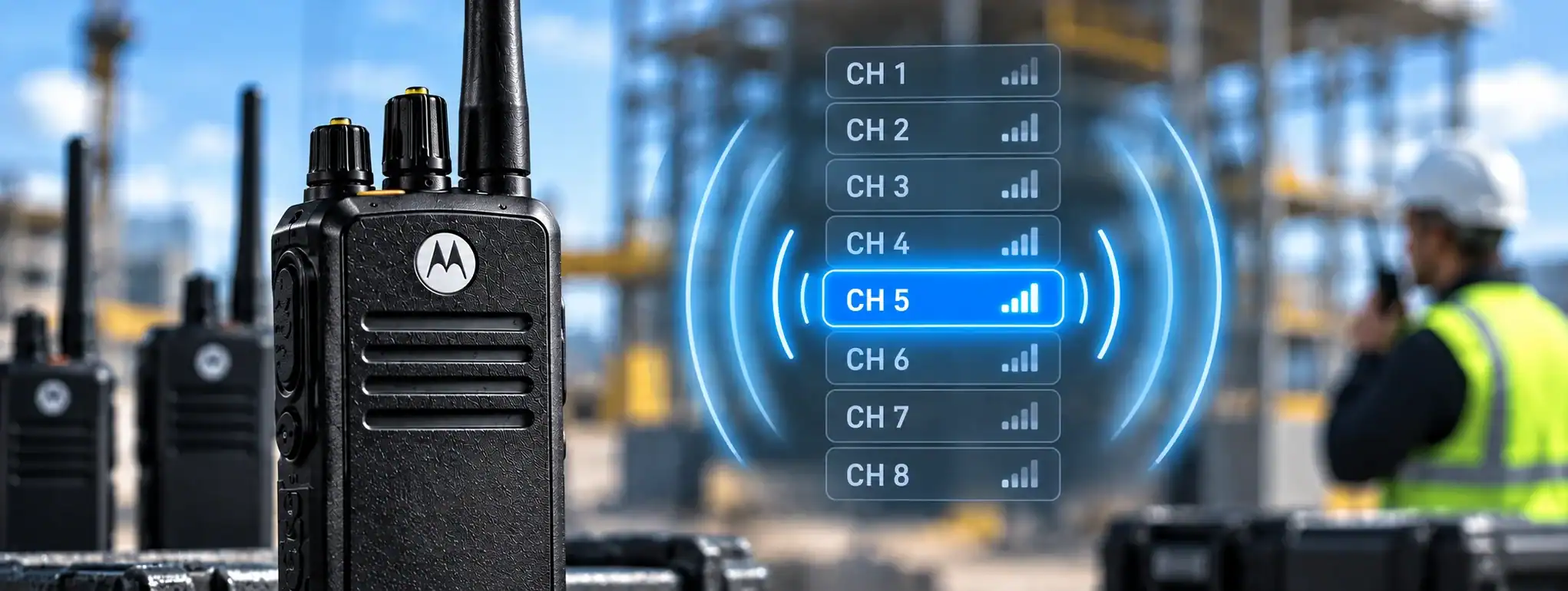
ChannelA two-way radio channel is a programmed set of communication settings, typically including frequency and signalling, that allows compatible radios to communicate with one another. Scan is a two-way radio feature that allows a radio to automatically monitor multiple programmed channels for activity. Instead of requiring the user to manually switch between channels, the radio checks the selected channels in sequence and stops, or temporarily remains, on a channel where a valid transmissionTransmission is the process of sending voice, data or signalling from a radio using a radio-frequency signal to another radio, repeater or communication system. is detected.
Channel Scan is useful when a user needs to monitor communications from more than one team, department or operational area. It is commonly found on professional two-way radios and can be configured in different ways depending on the radio model and system.
How does Channel Scan work?
When Channel Scan is activated, the radio checks a predefined list of channels for activity.
A simplified sequence is:
Channel 1 → Channel 2 → Channel 3 → Channel 1 → repeat
If the radio detects activity on one of the channels, it can stop scanning and allow the user to hear the transmission.
After the transmission has finished, the radio may resume scanning automatically.
The exact behaviour depends on the radio’s programming and scan settings.
Scan List
The channels that a radio monitors are normally defined in a Scan ListA Scan List is a programmed collection of channels or talkgroups that a two-way radio monitors automatically when its scanning function is enabled..
A Scan List is a programmed collection of channels that the radio checks when scanning is enabled.
For example:
- Security
- Operations
- Emergency
A different radio might have a different Scan List, depending on the user’s role.
This allows radios to be configured so that users only monitor communications relevant to their responsibilities.
Priority Channels
Many professional radios allow one or more channels in a Scan List to be configured as Priority Channels.
A priority channel is checked more frequently or given preferential treatment by the radio.
For example, a security supervisor might monitor several operational channels but designate the Emergency channel as a priority channel.
The exact priority behaviour varies between manufacturers and radio models.
Channel Scan and transmitting
Channel Scan is primarily a receiving function, but radio programming determines what happens when the user presses the Push-to-Talk (PTT)Push-to-Talk (PTT) is the button or control used to activate a two-way radio's transmitter. Press it to speak and release it to listen. button while scanning.
Depending on the configuration, the radio may transmit on:
- The channel where the radio is currently stopped
- The selected or home channel
- A designated priority channel
- Another programmed channel
The configuration should be chosen carefully so that users do not accidentally transmit to the wrong group.
Channel Scan and Talkback
Some radios use a Talkback function that allows a user to respond to the channel on which the radio has stopped scanning.
For example, if a supervisor is scanning Security, Operations and Maintenance and hears an Operations transmission, pressing PTT may allow them to respond directly to the Operations channel.
Other radio configurations may return the transmission to a predetermined channel instead.
The precise behaviour depends on the radio manufacturer and programming.
Channel Scan and analogue radio
Channel Scan can be used on analogue two-way radios.
The radio checks the programmed analogue channels for an active signal and stops when activity is detected.
Where CTCSS or DCS signalling is used, the radio can be configured to respond only to transmissions containing the appropriate signalling.
This can help prevent the radio from stopping on unrelated communications, although it does not make the communication private.
Channel Scan and digital radio
Digital two-way radios can provide more sophisticated scanning functions.
On systems such as DMR, scanning can involve programmed channels, talkgroups and digital signalling.
The radio can monitor selected digital communications and stop when the appropriate activity is detected.
Depending on the system, digital scanning may also interact with features such as priority channels, group calls and radio IDs.
Channel Scan and DMR
On a DMR system, a radio may be programmed to scan multiple channels or talkgroups.
For example, a radio could monitor:
- Security
- Operations
- Maintenance
- Emergency
The radio’s programming determines which communications it will recognise and how it behaves when activity is detected.
DMR scanning can therefore allow users to monitor several operational groups while keeping the radio on a single device.
Channel Scan and repeaters
Channel Scan can be used on radio systems that communicate through repeaters.
The channels in the Scan List may represent different repeaterA Repeater receives a two-way radio transmission and retransmits it, usually from an elevated location, to extend the coverage and reliability of a radio communication system. channels, talkgroups or communication groups.
The repeater itself does not perform the scanning; the scanning function is normally performed by the individual radio.
Channel Scan and Busy Channel Lockout
When scanning, the radio checks channels for activity.
Busy Channel Lockout (BCL)Busy Channel Lockout (BCL) is a two-way radio feature that prevents transmission when the selected channel is already being used, helping avoid users talking over one another. performs a different function.
BCL prevents a radio from transmitting when the selected channel is already occupied.
Channel Scan determines which channels the radio monitors for communications, while BCL controls whether the radio is permitted to transmit when a channel is busy.
They can therefore be used together within the same radio systemA Radio System is a complete communication solution comprising two-way radios and, where required, equipment such as repeaters, antennas, base stations, mobile radios and network infrastructure..
Channel Scan and control rooms
Channel Scan can be useful for supervisors and control-room operators who need to monitor several groups.
For example, a security control operator could monitor communications from:
- Security officers
- Reception
- Maintenance
- Car park staff
- Management
Scanning allows these communications to be monitored from one radio without constantly changing channels.
For larger control-room operations, a dedicated dispatch console may provide more advanced multi-channel monitoring than a handheld radio scan function.
Channel Scan and radio hire
Channel Scan is particularly useful for temporary radio systems used at events, construction projects, security operations and other environments where multiple teams need to communicate.
A radio hireRadio Hire is the temporary rental of two-way radios and related communication equipment for events, projects and operational requirements, providing professional communication without purchasing the equipment. company can programme the radios with appropriate Scan Lists before they are issued.
For example, an event supervisor could have a radio programmed to monitor:
Event Management + Security + Production + Emergency
while individual team members may only have access to their own operational channel.
Channel Scan and radio programming
Channel Scan is configured as part of the radio’s programming.
Programming can determine:
- Which channels are scanned
- Which channels are excluded
- Priority channels
- Scan behaviour
- Talkback behaviour
- Transmit behaviour
- How long the radio remains on an active channel
- Whether scanning resumes automatically
The exact options vary between manufacturers and radio models.
Correct programming is important because an incorrectly configured Scan List can cause users to miss important communications or transmit on an unintended channel.
Scan dwell time
Some radios allow the amount of time spent listening to an active channel to be configured.
This can be referred to as dwell time or a similar term.
The radio may remain on a channel while activity continues and then return to scanning after the transmission has ended.
The precise timing and configuration options depend on the radio.
Channel Scan limitations
Channel Scan does not allow a radio to listen to every possible radio frequencyAn antenna transmits and receives radio-frequency signals, allowing a two-way radio to communicate. Antenna type, frequency, height and location can all affect radio performance and coverage..
It can only monitor channels that have been programmed into the radio and that the radio hardware is capable of receiving.
If two channels become active simultaneously, the radio may only be able to receive one of them.
For critical communications, the scan configuration should therefore be designed carefully, particularly where emergency communications are involved.
Channel Scan and priority communications
A well-designed Scan List can help ensure that important communications receive appropriate attention.
For example, an organisation could designate an emergency channel as a priority channel while allowing the radio to scan normal operational channels.
However, Channel Scan should not be relied upon as the sole method of ensuring that an emergency communication is received. Dedicated emergency functions and appropriate radio-system design may provide additional safeguards.
Channel Scan vs manual channel selection
With manual channel selection, the user chooses a specific channel and remains on it until they change it.
With Channel Scan enabled, the radio automatically monitors multiple programmed channels.
Manual selection:
User selects channel → radio monitors that channel
Channel Scan:
Radio monitors multiple programmed channels → detects activity → stops on active channel
Channel Scan is therefore particularly useful when users need awareness of several communication groups.
Channel Scan and privacy
Channel Scan does not provide encryptionEncryption protects two-way radio communications by converting voice or data into a secure form that can only be understood by authorised radios with the correct encryption capability and keys. or privacy.
If a radio is programmed to scan a channel and can decode the communications on that channel, it may be able to hear those transmissions.
Features such as CTCSS, DCS and digital talkgroups can control which transmissions a radio responds to, but they should not be considered equivalent to encryption.
Where secure communications are required, an appropriate encryption capability must be used.
Channel Scan in professional radio systems
Channel Scan is a useful feature in professional radio systems where users have responsibilities across more than one communication group.
It can reduce the need to carry multiple radios and allows supervisors and key personnel to maintain awareness of different teams.
The scan configuration should reflect the way the organisation actually communicates rather than simply including every available channel.
Channel Scan and DCS
DCS can configure professional two-way radios with appropriate Scan Lists according to the user’s role and communication requirements.
For example, a supervisor may need to monitor several operational channels, while an individual worker may only need access to one.
Correctly programmed scanning can make a multi-channel radio system easier to use while helping users remain aware of important communications.