Channel
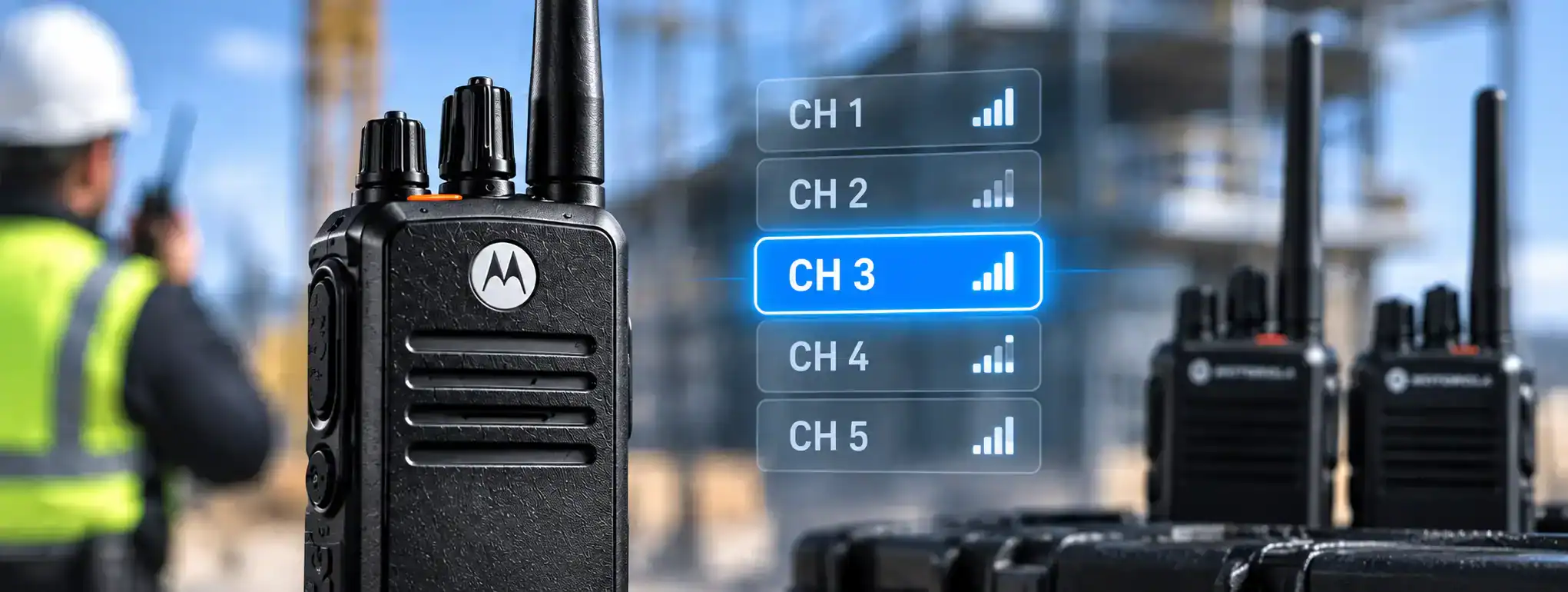
A channel is a defined set of radio communication parameters that allows two-way radios to communicate with one another. On a conventional radio systemA Radio System is a complete communication solution comprising two-way radios and, where required, equipment such as repeaters, antennas, base stations, mobile radios and network infrastructure., a channel normally includes a specific radio frequencyAn antenna transmits and receives radio-frequency signals, allowing a two-way radio to communicate. Antenna type, frequency, height and location can all affect radio performance and coverage., along with settings that determine how the radio transmits and receives communications.
When users select the same compatible channel on their radios, they can communicate with one another, provided they are within the required coverageRadio Coverage is the geographical area in which a two-way radio system can provide reliable communication. Coverage depends on the radios, antennas, frequency, terrain, buildings and system infrastructure. area and the radios are correctly configured.
Channels are fundamental to two-way radio operation and are used to organise communications between different users, teams or locations.
How does a two-way radio channel work?
A radio channel provides the settings a radio needs to communicate.
In a simple analogue system, this can include a transmit frequencyFrequency is the number of cycles a radio wave completes each second, measured in Hertz. In two-way radio, frequency determines where a transmission operates within the radio spectrum. and receive frequency, together with other settings such as CTCSS or DCS signalling.
When a user presses the Push-to-Talk (PTT)Push-to-Talk (PTT) is the button or control used to activate a two-way radio's transmitter. Press it to speak and release it to listen. button, the radio transmits using the parameters assigned to the selected channel.
Other radios configured for the same channel can receive the transmissionTransmission is the process of sending voice, data or signalling from a radio using a radio-frequency signal to another radio, repeater or communication system..
A simplified example is:
Radio A → Channel 1 → Radio B
If Radio B is set to a different channel, it will normally not receive the transmission.
Radio channels and frequencies
A channel is not necessarily the same thing as a frequency.
The frequency is the radio-frequency location used for transmission or reception, while a channel is a programmed configuration that can include the frequency and additional operating parameters.
For example, a channel programmed into a professional radio might contain:
- Transmit frequency
- Receive frequency
- CTCSS or DCS code
- Digital signalling information
- PowerAn antenna transmits and receives radio-frequency signals, allowing a two-way radio to communicate. Antenna type, frequency, height and location can all affect radio performance and coverage. setting
- Channel bandwidth
- Talkgroup
- Timeslot
- Other radio-system parameters
This allows users to select a channel without having to manually enter all of the technical settings.
Channels on analogue two-way radios
On an analogue radioAnalogue radio uses continuously varying radio signals to transmit voice communication. It remains widely used for reliable two-way communication across business, industry, events, security and other applications., a channel typically represents a programmed frequency or frequency pair.
Additional signalling such as CTCSS or DCS may be used to control which transmissions a radio responds to.
For example, several users may operate on the same radio frequency while using different CTCSS tones. The radios can then be configured to open their speakers only when the appropriate signalling is detected.
It is important to understand that this does not necessarily make the communications private. Other users operating on the same frequency may still be able to receive the transmission.
Channels on digital two-way radios
Digital radios can use channels in more sophisticated ways.
Technologies such as DMR (Digital Mobile RadioA Mobile Radio is a two-way radio designed to be installed in a vehicle. It normally uses the vehicle's power supply and an external antenna to provide reliable communication while travelling or working in the field.) can use channels together with features such as talkgroups and timeslots to organise communications between multiple users.
A programmed DMR channel may therefore contain considerably more information than simply a frequency.
For example, a channel could be configured with:
- Frequency
- Transmit and receive settings
- DMR colour code
- Timeslot
- Talkgroup
- Radio signalling
- Other system parameters
The exact settings depend on the radio system.
Channel vs talkgroup
A channel and a talkgroup are related but different concepts.
A channel describes the radio configuration used to communicate.
A talkgroup defines the group of users who are intended to participate in a particular digital group conversation.
On a DMR system, for example, a single physical radio resource can support multiple logical conversations using different timeslots and talkgroups.
This means that changing the selected talkgroup does not necessarily mean changing the physical radio frequency.
Channel capacity
The number of channels available on a radio depends on the radio model and how it has been programmed.
Professional handheld radios may support many channels, which can be organised into zones or channel banks.
For example, a radio could be programmed with separate channels for:
- Security
- Operations
- Maintenance
- Management
- Emergency
- Site 1
- Site 2
The user can then select the appropriate channel according to their location or role.
Channel groups and zones
Many professional radios organise channels into zones.
A zoneA Zone is a group of programmed radio channels or talk groups organised within a two-way radio. Zones make it easier for users to find and switch between different communication services. is essentially a collection of related channels.
For example:
Zone 1 – Main Site
- Security
- Operations
- Maintenance
Zone 2 – Remote Site
- Security
- Operations
- Transport
This can make radios with a large number of programmed channels easier for users to operate.
The terminology varies between manufacturers. Some radios may use terms such as zones, banks or channel groups.
Channel scanning
Some two-way radios can scan multiple channels.
When scanning is enabled, the radio checks the programmed channels for activity and can stop on a channel where a transmission is detected.
Scanning can be useful for supervisors, control-room operators and other users who need to monitor more than one communication group.
The behaviour of scanning depends on the radio’s programming and configuration.
Busy channels
A channel is considered busy when another radio is transmitting on it.
Many professional radios include Busy Channel Lockout (BCL)Busy Channel Lockout (BCL) is a two-way radio feature that prevents transmission when the selected channel is already being used, helping avoid users talking over one another., which can prevent a user from transmitting when the radio detects that the selected channel is already in use.
This helps reduce the risk of users accidentally transmitting over one another.
Not every radio system uses BCL, and the exact way a radio determines whether a channel is busy depends on its technology and configuration.
Channel interference
Radio channels can experience interferenceRadio interference occurs when unwanted radio-frequency signals or electrical noise disrupt two-way radio communications, causing distorted audio, broken transmissions, reduced coverage or loss of communication. from other radio transmissions or sources of electromagnetic energy.
Interference can result in:
- Reduced audio quality
- Noise
- Interrupted communications
- Reduced usable coverage
- Difficulty establishing communications
This is one reason licensed Business RadioBusiness Radio refers to professional two-way radio systems used by businesses and organisations for instant communication, often using licensed frequencies and equipment designed for commercial use. systems use assigned frequencies and carefully planned channel configurations.
A channel that is technically available may not necessarily be suitable for every location or application.
Channel allocation
In a professional radio system, channels should be planned and allocated according to the operational requirements of the organisation.
A system designer may need to consider:
- Number of users
- Number of teams
- Required geographical coverage
- Radio frequencies
- Licensing
- Repeaters
- Analogue or digital operation
- Talkgroups
- Timeslots
- Interference
- Emergency communications
Good channel planning can make a radio system easier to operate and reduce unnecessary radio traffic.
Channels and repeaters
A repeaterA Repeater receives a two-way radio transmission and retransmits it, usually from an elevated location, to extend the coverage and reliability of a radio communication system. can form part of a radio channel configuration.
Instead of radios communicating directly with one another, a repeater receives the transmission and retransmits it, extending the coverage of the system.
A repeater channel normally uses separate transmit and receive frequencies so that the repeater can receive and retransmit communications simultaneously.
The radios are programmed with the appropriate settings so that they can communicate through the repeater.
Channels and simplex operation
SimplexSimplex is a method of two-way radio communication where radios transmit and receive on the same frequency, communicating directly without a repeater. communication allows radios to transmit and receive on the same frequency without using a repeater.
This provides a direct radio-to-radio communication path, subject to the range and conditions of the environment.
A simplex channel can therefore be useful for smaller sites or situations where direct radio communication is sufficient.
Channels and duplex operation
Duplexduplex, duplex radio, duplex communication, duplex frequencies, duplex operation, duplex spacing, frequency offset, repeater duplex, duplex repeater, full duplex, half duplex, radio repeater or repeater-based operation uses separate transmit and receive frequencies.
The radio transmits to the repeater on one frequency, while receiving the repeater’s retransmitted signal on another.
This arrangement can provide greater coverage than direct simplex communication.
The channel programmed into the user’s radio contains the information required to communicate through the repeater.
Channel privacy
The word “channel” does not automatically mean that communications are private.
Two radios using the same channel may be able to hear each other’s transmissions, while other users operating on the same frequency may also be able to receive communications depending on the system.
Features such as CTCSS, DCS and digital talkgroups can control which transmissions a radio responds to, but these should not automatically be considered encryptionEncryption protects two-way radio communications by converting voice or data into a secure form that can only be understood by authorised radios with the correct encryption capability and keys. or secure communications.
Where genuinely protected communications are required, an appropriate encryption capability may be necessary.
Channels and encryption
Digital radio systems can support encryption or other security features on compatible equipment.
Encryption protects the content of communications so that unauthorised users cannot readily understand the transmitted information.
Encryption is separate from the basic concept of a radio channel.
A channel can therefore be encrypted or unencrypted depending on how the radio system has been configured.
Channels in Business Radio
Licensed Business Radio systems commonly use programmed channels to organise communications between different teams.
For example, a company may have separate channels for security, maintenance and operations.
The appropriate frequencies and technical settings must comply with the relevant Ofcom Business Radio LicenceAn Ofcom Business Radio Licence authorises businesses and organisations in the UK to use specified radio frequencies for professional two-way radio communication, subject to the licence conditions. where licensing is required.
Professional radio suppliers can configure equipment so that the programmed channels correspond to the requirements of the licensed system.
Channels and radio hire
Channels are normally programmed into radios before they are supplied for hire.
A radio hireRadio Hire is the temporary rental of two-way radios and related communication equipment for events, projects and operational requirements, providing professional communication without purchasing the equipment. system may have separate channels for different teams or operational functions.
For example, an event could have:
- Channel 1 – Event Management
- Channel 2 – Security
- Channel 3 – Production
- Channel 4 – Stewards
- Channel 5 – Emergency
The actual channel arrangement depends on the radio equipment, licence, coverage requirements and organisation of the event.
Channel selection
Users normally select a channel using the radio’s channel knob, buttons, display or menu system.
Some professional radios can have channel names displayed instead of just channel numbers.
For example, a display might show:
SECURITY
rather than:
CHANNEL 2
Named channels can make radios easier to use, particularly where many channels or communication groups are available.
Channel programming
Radio channels are normally programmed using specialist programming software.
Programming can determine the frequencies, signalling, talkgroups and other parameters associated with each channel.
Professional radios should be programmed according to the manufacturer’s specifications and the requirements of the radio system.
Incorrect channel programming can prevent users from communicating or, in licensed systems, result in operation outside the conditions of the relevant licence.
Choosing the right number of channels
Having more channels does not automatically make a radio system better.
Too few channels can result in excessive radio traffic, while too many can make radios unnecessarily complicated for users.
A good radio system uses enough channels to separate important communications while keeping the user interface straightforward.
The ideal arrangement depends on the size of the organisation, number of teams, geographical coverage and type of work being carried out.
Channels and DCS
DCS can configure professional two-way radios with channels appropriate to the customer’s communication requirements.
This can include analogue channels, digital channels, repeater channels, talkgroups, scanning arrangements and other radio-system settings.
For businesses hiring or purchasing professional radios, properly planned channel programming helps ensure that users can communicate with the correct teams while keeping the system straightforward to operate.