Zone
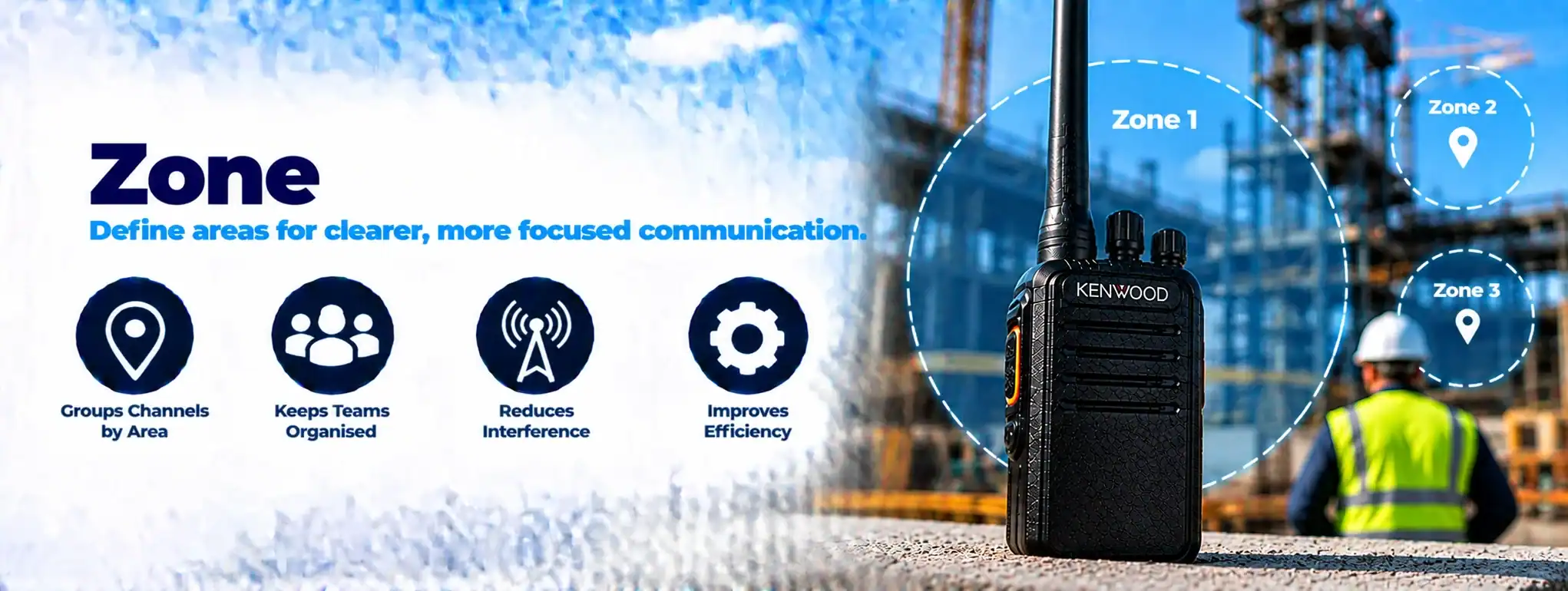
A Zone is a group of radio channels or talk groups organised together within a two-way radio. Zones allow users to organise communications by location, department, function or type of operation, making it easier to find the channelA two-way radio channel is a programmed set of communication settings, typically including frequency and signalling, that allows compatible radios to communicate with one another. they need.
For example, a radio used across a large site might have separate zones for Operations, Security, Maintenance and Events.
What is a zone on a two-way radio?
A zone is essentially a collection of programmed channels.
A radio can contain multiple zones, with each zone containing a number of channels.
For example:
Zone 1 – Warehouse
- Operations
- Goods In
- Goods Out
- Loading Bay
Zone 2 – Security
- Security
- Control Room
- Emergency
Zone 3 – Maintenance
- Maintenance
- Engineering
- Contractors
The exact number of zones and channels supported depends on the radio model.
Why are zones used?
Zones help organise a radio’s programmed channels.
Without zones, a radio with a large number of channels could become difficult to navigate.
Grouping channels into logical zones allows users to find the required communication channel more quickly.
Zone vs channel
A Channel is an individual programmed communication path or configuration.
A Zone is a group of channels.
For example:
Zone → Warehouse
Channels → Operations, Goods In, Goods Out, Security
The user selects the appropriate zone and then selects the required channel.
Zone vs talk group
Zones and Talk Groups are different concepts.
A zone is primarily an organisational feature within the radio.
A talk groupA Talk Group is a predefined group of users or radios within a two-way radio system that share a common communication group, allowing teams to communicate without involving other users. is a group of users who share communications on a digital radio systemA Radio System is a complete communication solution comprising two-way radios and, where required, equipment such as repeaters, antennas, base stations, mobile radios and network infrastructure..
A radio can therefore have a zone containing several talk groups.
For example:
Zone: Operations
- Operations Talk Group
- Supervisors Talk Group
- Logistics Talk Group
Zones on digital radios
Digital radios commonly provide multiple programmable zones.
Depending on the radio and system, a zone can contain:
- Digital channels
- Analogue channels
- Talk groups
- RepeaterA Repeater receives a two-way radio transmission and retransmits it, usually from an elevated location, to extend the coverage and reliability of a radio communication system. channels
- SimplexSimplex is a method of two-way radio communication where radios transmit and receive on the same frequency, communicating directly without a repeater. channels
- Emergency channels
The exact functionality varies between manufacturers and radio systems.
Zones on DMR radios
Professional DMR (Digital Mobile RadioA Mobile Radio is a two-way radio designed to be installed in a vehicle. It normally uses the vehicle's power supply and an external antenna to provide reliable communication while travelling or working in the field.) radios commonly use zones to organise programmed channels and talk groups.
For example:
Zone 1 – Site A
- Site A Operations
- Site A Security
- Site A Maintenance
Zone 2 – Site B
- Site B Operations
- Site B Security
- Site B Maintenance
This can make a multi-site radio easier for users to operate.
Zone and repeater channels
A zone can contain channels that use a Repeater.
For example:
Zone: Site Operations
- Operations Repeater
- Security Repeater
- Maintenance Repeater
Selecting the channel determines which programmed radio service is used.
Zone and simplex channels
A zone can also contain Simplex channels.
Simplex channels allow compatible radios to communicate directly without using a repeater.
This can be useful for local or short-range communications.
Zone and radio scanning
A radio’s Scan ListA Scan List is a programmed collection of channels or talkgroups that a two-way radio monitors automatically when its scanning function is enabled. can include channels from a particular zone or multiple zones, depending on the radio system.
Scanning allows the radio to monitor selected channels for activity.
The precise scanning functions depend on the radio model.
Zone selection
Users typically select a zone using the radio’s controls or display.
Depending on the equipment, this may be done using:
- Channel/zone selector
- Navigation buttons
- Menu
- Touchscreen
- Programmable buttons
The user then selects the required channel or talk group.
Zone and programmable buttons
Professional radios can have programmable buttons that provide quick access to frequently used functions.
Some radios allow a button or control to be configured for zone selection.
This can make it easier for users who regularly move between different operational areas.
Zone and multi-site radio systems
Zones can be useful when a radio is programmed for multiple sites.
For example:
Zone 1 – London
Zone 2 – Birmingham
Zone 3 – Manchester
Each zone can contain the channels or talk groups required at that location.
Zone and roaming
A radio supporting RoamingRoaming allows a compatible two-way radio to move between different radio sites or coverage areas, automatically selecting an appropriate site as the user moves. may automatically select an appropriate radio site as the user moves through a multi-site networkA Network is a connected system of radios, equipment and infrastructure that allows users to communicate across a defined area. Radio networks can range from simple radio-to-radio systems to large multi-site networks..
Zones remain a way of organising the radio’s programmed services, while roaming determines how the radio manages connected coverageRadio Coverage is the geographical area in which a two-way radio system can provide reliable communication. Coverage depends on the radios, antennas, frequency, terrain, buildings and system infrastructure. areas.
Zone and radio programming
Zones are normally created during radio Programming.
A radio programmer can configure:
- Zone names
- Channels
- Talk groups
- Frequencies
- Repeater settings
- Scan lists
- Emergency functions
- Other radio parameters
The exact programming options depend on the radio manufacturer and model.
Zone and programming cable
A Programming CableA Programming Cable connects a two-way radio to a computer so compatible programming software can configure, update or service the radio's settings. can be used with compatible radios to connect the equipment to a computer for configuration.
Modern network-connected radios may also support remote configuration or Over-the-Air Programming (OTAP)Over-the-Air Programming (OTAP) allows compatible two-way radios to be configured or updated remotely through a radio network, reducing the need to physically connect each radio to a programming computer. where available.
Zone naming
Clear zone names can make radios easier to operate.
Examples include:
- Warehouse
- Security
- Maintenance
- Events
- Site 1
- Site 2
- Transport
- Emergency
Names should be kept clear and recognisable to the people using the radios.
Zone and warehouse radios
A warehouse radioA Warehouse Radio is a professional two-way radio used by warehouse, distribution and logistics teams for instant communication across storage areas, loading bays, yards and operational facilities. could use zones to separate different operational areas.
For example:
Warehouse Zone
- Warehouse Operations
- Goods In
- Goods Out
- Loading Bay
Yard Zone
- Yard Operations
- Vehicle Movements
- Gatehouse
This allows users to switch between different communication groups without having to scroll through a long list of unrelated channels.
Zone and construction radios
A construction radio system could use zones for different projects or operational functions.
For example:
Project A
- Site Operations
- Plant
- Security
Project B
- Site Operations
- Plant
- Security
This can simplify radio operation for teams working across multiple projects.
Zone and event radios
Event radio systems may use zones to separate different operational functions.
For example:
Event Operations
- Event Control
- Stewards
- Production
- Security
- Medical
A radio-hire provider can program the radios according to the event’s communication structure.
Zone and security radios
Security teams can use zones to organise channels for different sites, buildingsAn antenna transmits and receives radio-frequency signals, allowing a two-way radio to communicate. Antenna type, frequency, height and location can all affect radio performance and coverage. or operational functions.
For example:
Security Zone
- Main Security
- Patrols
- Control Room
- Emergency
Zone and radio hire
When radios are supplied as part of Radio HireRadio Hire is the temporary rental of two-way radios and related communication equipment for events, projects and operational requirements, providing professional communication without purchasing the equipment., the equipment can normally be programmed before deployment.
Zones can be created around the customer’s operational requirements.
This means users can receive radios with clearly labelled communication groups rather than having to configure the equipment themselves.
Zone and licence-free radios
The availability of zones depends on the radio model rather than simply whether the radio is licence-free or licensed.
Some basic PMR446 radios have a relatively small number of channels and may not provide sophisticated zone-management features.
Professional licensed radios generally provide more extensive programming options.
Zone and licensed radios
Professional licensed radios can support larger and more complex channel configurations.
Zones can help organise these channels for users working across multiple departments or locations.
Zone and analogue radio
Analogue radios can use zones to organise programmed analogue channels.
For example:
Zone 1
- Channel 1 – Operations
- Channel 2 – Security
- Channel 3 – Maintenance
The zone is simply providing a convenient way to organise those channels.
Zone and digital radio
Digital radio systems can use zones to organise more advanced communication services.
Depending on the system, these may include:
- Talk groups
- Private calls
- Emergency channels
- Repeater channels
- Data services
Zone and private call
A Private CallPrivate Call is a two-way radio feature that allows one radio user to communicate directly with another individual radio user rather than making the conversation part of a general group call. can be programmed as part of a digital radio configuration.
The radio’s zone structure can help users access the appropriate communication service.
Zone and emergency communications
An emergency communication channel or talk group can be placed within a dedicated zone or included in an operational zone.
The exact arrangement depends on the system design.
Emergency functions should be configured so that users can access them quickly.
Zone and control rooms
A control room may communicate with several operational groups.
Zones can organise the corresponding radio channels or talk groups for users who need access to those communications.
Zone and large radio fleets
Zones become particularly useful when an organisation operates a large radio fleet.
Different groups of users may require different communications.
For example:
Operations Zone
Security Zone
Maintenance Zone
Management Zone
This keeps the radio configuration organised and easier to use.
Zone limitations
A zone does not increase radio range or improve the strength of a radio signal.
It is primarily a way of organising programmed communication channels and services.
Radio coverage still depends on factors such as:
- FrequencyAn antenna transmits and receives radio-frequency signals, allowing a two-way radio to communicate. Antenna type, frequency, height and location can all affect radio performance and coverage.
- Transmitter powerAn antenna transmits and receives radio-frequency signals, allowing a two-way radio to communicate. Antenna type, frequency, height and location can all affect radio performance and coverage.
- AntennaAn antenna transmits and receives radio-frequency signals, allowing a two-way radio to communicate. Antenna type, frequency, height and location can all affect radio performance and coverage.
- Building construction
- Terrain
- Repeater infrastructureRadio infrastructure is the equipment and supporting systems behind a professional two-way radio network, including repeaters, antennas, base stations, network connections, power systems and dispatch equipment.
- Network design
Zone and system design
When designing a radio system, zones should reflect how users actually communicate.
A well-designed configuration should avoid giving users unnecessary channels while ensuring they can quickly access the communications they require.
Zone and DCS
DCS can programme professional two-way radios with zones, channels and talk groups according to the customer’s operational requirements.
For a multi-team or multi-site system, a clear zone structure can make radios considerably easier for staff to use.