Programming Cable
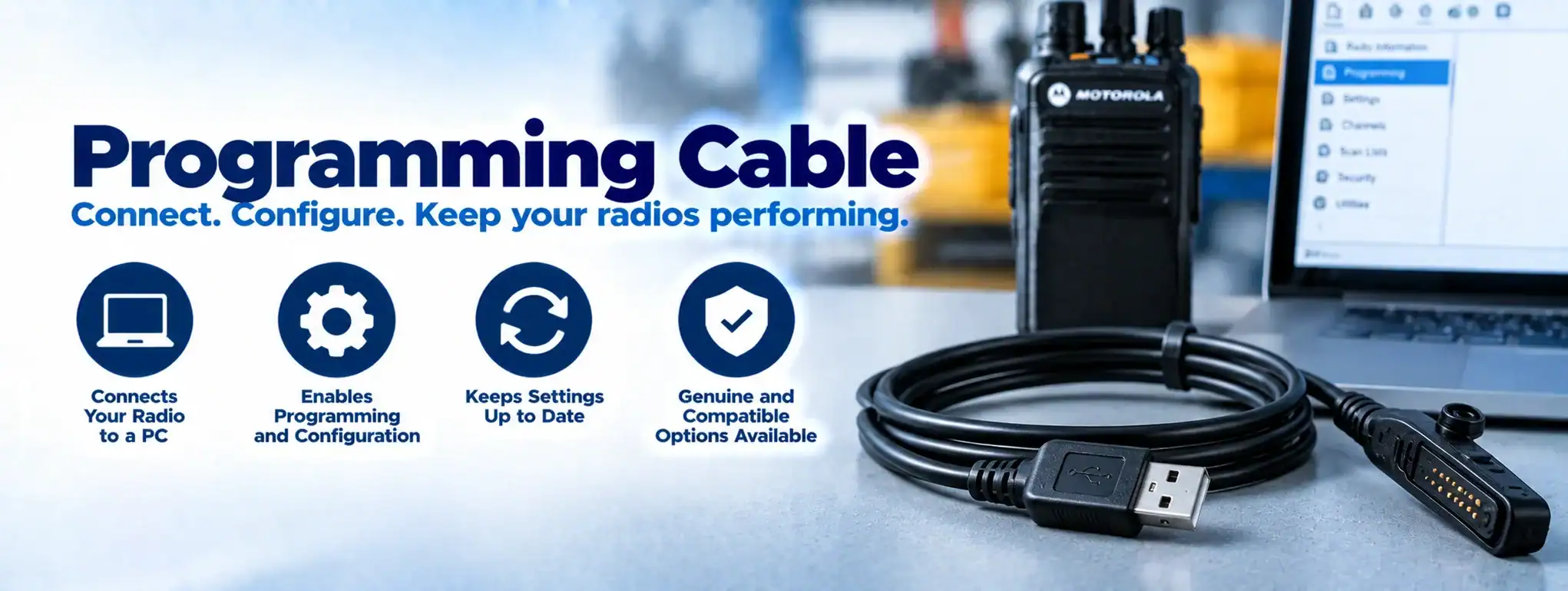
A Programming Cable is a cable used to connect a two-way radio to a computer or programming device so that the radio can be configured, updated or serviced using the manufacturer’s programming software.
Programming cables are commonly used by radio dealers, engineers and technicians to configure professional two-way radios before they are deployed.
What is a programming cable?
A programming cable provides a physical connection between a radio and a computer.
A typical programming arrangement is:
Computer → Programming Cable → Two-Way Radio
The computer runs compatible radio programming software, which can be used to read, modify or write the radio’s configuration.
What is a programming cable used for?
A programming cable can be used to configure settings such as:
- Channels
- Frequencies
- Talkgroups
- Radio identification
- Scan lists
- Transmit powerAn antenna transmits and receives radio-frequency signals, allowing a two-way radio to communicate. Antenna type, frequency, height and location can all affect radio performance and coverage.
- Signalling
- Emergency functions
- Audio settings
- Other programmable features
The available settings depend on the radio model and programming software.
Programming cable and codeplug
A radio’s CodeplugA Codeplug is the configuration data programmed into a two-way radio that defines its channels, frequencies, talkgroups, radio ID and other operating features. contains its programmed configuration.
A programming cable provides the physical connection needed to transfer codeplug information between the radio and programming computer.
For example:
Computer → Programming Software → Programming Cable → Radio Codeplug
An engineer can use this process to configure a radio for a particular radio systemA Radio System is a complete communication solution comprising two-way radios and, where required, equipment such as repeaters, antennas, base stations, mobile radios and network infrastructure..
Reading a radio’s configuration
Programming software can often read the existing configuration from a compatible radio.
This can allow an engineer to:
- Check current settings
- Back up the configuration
- Review programmed channels
- Make authorised changes
- Diagnose configuration problems
A backup of the existing configuration can be useful before making significant changes.
Writing a configuration to a radio
Once a configuration has been prepared, the programming software can write it to the radio.
The process generally involves:
- Connecting the radio.
- Connecting the programming cable.
- Starting the programming software.
- Reading or selecting the required configuration.
- Making authorised changes.
- Writing the configuration to the radio.
- Testing the radio.
The exact procedure varies between manufacturers and models.
Programming cable and radio software
A programming cable normally works alongside manufacturer-specific programming software.
Different manufacturers can use different software platforms and cable connections.
For example, equipment from Motorola SolutionsMotorola Solutions is a global communications technology company that develops professional two-way radios, radio systems, dispatch platforms and other communication and safety technologies., KenwoodKenwood is a manufacturer of professional two-way radio equipment, including handheld radios, mobile radios, repeaters and accessories for business and commercial communication. or IcomIcom is a Japanese manufacturer of two-way radios and communication equipment, producing professional analogue and digital radios, repeaters and accessories for business, industrial, marine, aviation and other specialist applications. may require different programming equipment and software.
A cable designed for one radio model should not automatically be assumed to work with another.
Programming cable compatibility
Compatibility is an important consideration.
A programming cable may be specific to:
- Manufacturer
- Radio model
- Radio series
- Connector type
- Programming software
- FirmwareFirmware is the software built into a two-way radio that controls its underlying operation, features and hardware. Manufacturers may release updates to improve performance, fix faults or add functionality. version
Some cables may support several related models, while others are designed for a particular radio family.
Programming cable connectors
Two-way radios can use different physical connectorsAn antenna transmits and receives radio-frequency signals, allowing a two-way radio to communicate. Antenna type, frequency, height and location can all affect radio performance and coverage. for programming.
Depending on the radio, the connection may be made through:
- A dedicated programming connector
- Accessory connectorAn accessory connector is the socket on a two-way radio used to connect external accessories such as speaker microphones, headsets, earpieces and programming equipment.
- USB connection
- Multi-pin connector
- Manufacturer-specific interface
The physical connector alone does not guarantee compatibility.
USB programming cables
Many modern programming cables connect to a computer through USB.
The USB connection provides the computer interface, while the radio end connects to the appropriate programming port.
Some cables require a USB driver before the computer can communicate correctly with the radio.
Programming cable drivers
Some USB programming cables require a device driver.
The driver allows the computer’s operating system to recognise and communicate with the cable.
If the appropriate driver is not installed, the programming software may not detect the connected radio.
Programming cable and firmware
Programming software and cables can sometimes be used as part of a radio Firmware update process.
However, firmware updating is separate from ordinary radio configuration.
A firmware update changes the software controlling the radio, while programming normally changes the radio’s operational settings.
The manufacturer should always be consulted for the correct update procedure.
Programming cable and radio configuration
Programming a radio is more than simply changing its frequencyAn antenna transmits and receives radio-frequency signals, allowing a two-way radio to communicate. Antenna type, frequency, height and location can all affect radio performance and coverage..
A professional radio configuration can include:
- Channels
- Frequencies
- CTCSS/DCS tones
- Talkgroups
- Radio IDs
- Scan settings
- Emergency functions
- Button assignments
- Audio settings
- Power settings
Incorrect programming can prevent radios from communicating correctly.
Programming cable and licensed radio
Programming a radio to a particular frequencyFrequency is the number of cycles a radio wave completes each second, measured in Hertz. In two-way radio, frequency determines where a transmission operates within the radio spectrum. does not automatically give the user permission to transmit on that frequency.
In the UK, licensed professional radio systems must operate within the conditions of the relevant Ofcom Business Radio LicenceAn Ofcom Business Radio Licence authorises businesses and organisations in the UK to use specified radio frequencies for professional two-way radio communication, subject to the licence conditions. where a licence is required.
Radio programming should therefore be carried out with the applicable licensing conditions in mind.
Programming cable and licence-free radio
Licence-free services such as PMR446 have specific technical requirements.
A programming cable should not be used to configure a PMR446 radio outside the permitted technical parameters.
A radio’s programming capability does not override the restrictions applying to a licence-free service.
Programming cable and DMR
Digital Mobile Radio (DMR)Digital Mobile Radio (DMR) is an ETSI digital radio standard for professional two-way communications, supporting voice, group calling, data and other features on compatible radio systems. radios can be programmed using manufacturer-compatible programming cables and software.
DMR configuration can include:
- Frequencies
- Colour Codes
- Time Slots
- Talkgroups
- Contacts
- Scan lists
- Radio IDs
- Emergency settings
The exact programming requirements depend on the DMR system.
Programming cable and MOTOTRBO™
Compatible MOTOTRBO™MOTOTRBO™ is Motorola Solutions' professional digital two-way radio platform, based on the DMR standard. It supports business communication ranging from simple radio systems to multi-site networks. radios are programmed using manufacturer-supported programming equipment and software.
Programming can configure channels, talkgroups, radio IDs and other operational parameters.
More advanced system management may also be possible through supported radio-management platforms.
Programming cable and analogue radio
Analogue two-way radios can also be programmed using compatible cables and software.
Typical settings can include:
- Receive frequency
- Transmit frequency
- CTCSS
- DCS
- ChannelA two-way radio channel is a programmed set of communication settings, typically including frequency and signalling, that allows compatible radios to communicate with one another. names
- Transmit power
- Scan configuration
Programming cable and repeaters
A RepeaterA Repeater receives a two-way radio transmission and retransmits it, usually from an elevated location, to extend the coverage and reliability of a radio communication system. may require its own programming or configuration.
Depending on the equipment, engineers may connect a programming computer directly to the repeater using an appropriate programming interface.
Repeater programming is more specialised than programming an individual portable radioA Portable Radio is a battery-powered two-way radio designed to be carried and operated by an individual, providing mobile communication for professional and operational users..
Programming cable and portable radios
Portable Radios are commonly programmed before being issued to users.
For a radio fleet, an engineer may configure multiple radios with the same basic channel and talkgroup structure while assigning each radio its own identification where required.
Programming cable and mobile radios
Vehicle-mounted Mobile Radios can also be programmed using compatible programming equipment.
This allows engineers to configure the channels and system settings required for the vehicle’s operational role.
Programming cable and base stations
Base Stations can be configured using appropriate programming equipment and software.
The configuration must match the wider radio system so that the base stationA base station is a fixed two-way radio installed at a permanent location, allowing an operator to communicate with handheld or mobile radios across a site or operating area. can communicate correctly with portable and mobile radios.
Programming cable and radio hire
Programming cables are particularly useful to professional Radio HireRadio Hire is the temporary rental of two-way radios and related communication equipment for events, projects and operational requirements, providing professional communication without purchasing the equipment. companies.
Hire radios may need to be configured for different customers, events or projects.
An engineer can use programming equipment to prepare radios before deployment.
For example:
Customer Requirements → Radio Programming → Testing → Deployment
Programming cable and event radio hire
Temporary event radio systems may require different configurations for each event.
For example, a radio fleet might be programmed with separate groups for:
- Security
- Production
- Event Management
- Medical
- Site Operations
A programming cable can be used to configure the radios before they are issued.
Programming cable and troubleshooting
Programming cables can be useful when diagnosing configuration problems.
For example, if one radio does not communicate correctly with the rest of the fleet, an engineer can connect it to the programming software and compare its configuration with a correctly functioning radio.
Programming cable and configuration backup
Radio configurations can often be saved as computer files.
Maintaining backups can make it easier to restore a radio to an approved configuration if its settings are accidentally changed or lost.
Configuration files should be stored securely and access should be restricted where they contain sensitive system information.
Programming cable and encryption
Some radio configurations include security-related settings.
However, encryptionEncryption protects two-way radio communications by converting voice or data into a secure form that can only be understood by authorised radios with the correct encryption capability and keys. keys should be handled using the manufacturer’s approved security and key-management procedures.
A programming cable should not be treated as a substitute for dedicated secure key-management systems such as Over-the-Air Rekeying (OTAR)Over-the-Air Rekeying (OTAR) allows encryption keys on compatible two-way radios to be changed or updated remotely through a radio network, without physically connecting each radio for rekeying..
Programming cable vs OTAP
Programming Cable and Over-the-Air Programming (OTAP)Over-the-Air Programming (OTAP) allows compatible two-way radios to be configured or updated remotely through a radio network, reducing the need to physically connect each radio to a programming computer. provide two different ways of configuring compatible radios.
Programming Cable:
Computer → Cable → Radio
OTAP:
Management System → Radio NetworkA Network is a connected system of radios, equipment and infrastructure that allows users to communicate across a defined area. Radio networks can range from simple radio-to-radio systems to large multi-site networks. → Radio
Cable programming requires physical access to the radio, while OTAP can allow supported configuration changes to be made remotely.
Programming cable and large radio fleets
For a small number of radios, physical programming is relatively straightforward.
For large fleets, manually connecting every radio can become time-consuming.
Where supported, OTAP or centralised radio-management systems can reduce the amount of physical programming required.
Programming cables remain important for initial configuration, servicing, troubleshooting and equipment that does not support remote programming.
Programming cable and radio servicing
Programming cables can be used during radio servicing to:
- Check configuration
- Restore settings
- Update supported software
- Test functions
- Diagnose programming issues
Hardware faults may still require physical repair.
Programming cable and radio security
Access to radio programming should generally be controlled.
Unauthorised changes to frequencies, talkgroups, emergency functions or other settings could disrupt communications.
Professional radio organisations should maintain appropriate configuration control.
Programming cable limitations
A programming cable cannot make an incompatible radio operate with another system.
Limitations include:
- Radio compatibility
- Software compatibility
- Driver requirements
- Connector type
- Firmware version
- Manufacturer restrictions
- Licensing requirements
Using the wrong cable or software can result in the radio not being detected or, in some circumstancesAn antenna transmits and receives radio-frequency signals, allowing a two-way radio to communicate. Antenna type, frequency, height and location can all affect radio performance and coverage., incorrect configuration.
Choosing a programming cable
When selecting a programming cable, check:
- Radio manufacturer.
- Exact radio model.
- Programming software.
- Connector type.
- Computer operating system.
- Required drivers.
- Firmware compatibility.
- Manufacturer approval.
- Whether the cable supports reading and writing configuration.
- Whether additional programming equipment is required.
Programming cable and DCS
DCS uses manufacturer-compatible programming equipment when configuring professional two-way radios.
We can configure radios for the required communication system, including channels, talkgroups and other operational settings, and can test equipment before deployment.
For larger fleets, remote management options such as OTAP may also be considered where supported.