
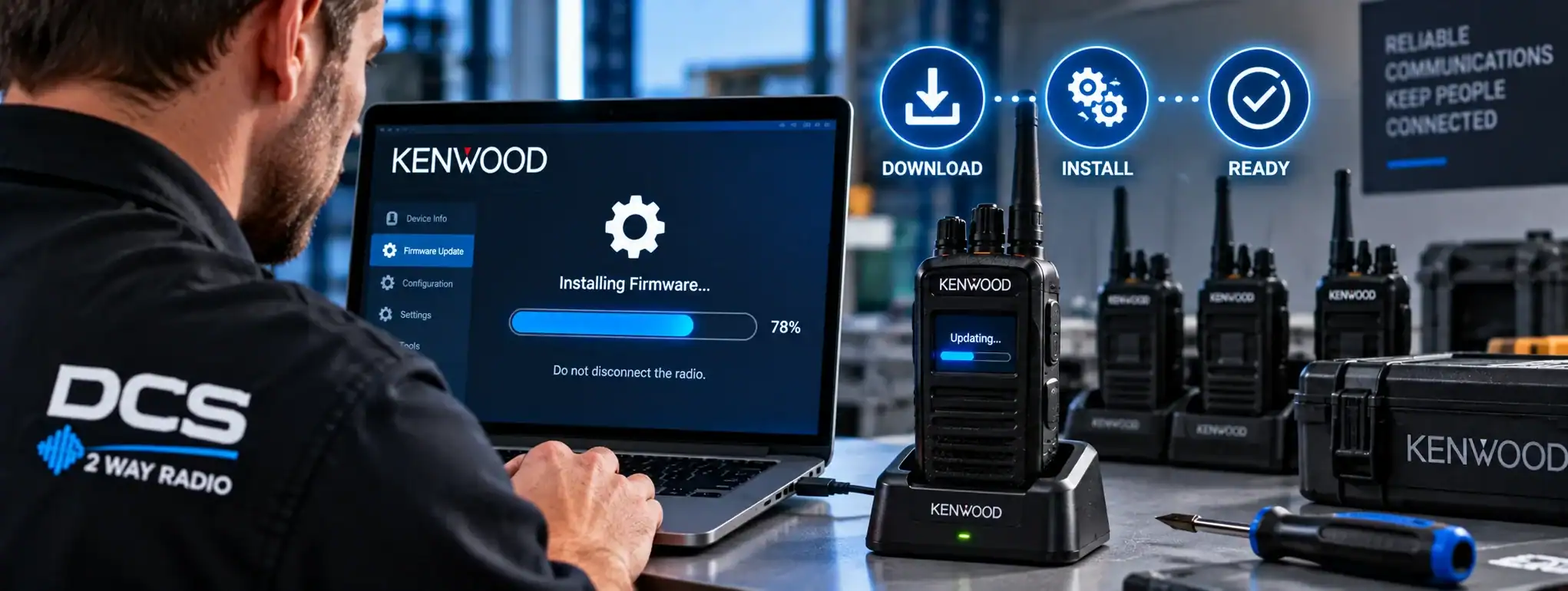
Firmware
Firmware is the software built into a two-way radio or other electronic device that controls how the hardware operates. It provides the instructions that allow the radio’s processor, transmitter, receiverA Receiver is the part of a two-way radio that detects and processes incoming radio signals, converting them into audible voice or usable data for the user., display, controls and other components to work together.
Firmware is stored within the radio itself and is different from the radio’s CodeplugA Codeplug is the configuration data programmed into a two-way radio that defines its channels, frequencies, talkgroups, radio ID and other operating features., which contains the configuration and programming specific to how the radio is intended to operate.
Manufacturers may release firmware updates to improve performance, fix faults, add features, improve compatibility or address security issues.
What does Firmware do?
Firmware controls many of the underlying functions of a professional two-way radio.
Depending on the radio model, firmware can control:
- Transmit and receive functions
- Digital voice processing
- Audio processing
- Display operation
- Buttons and controls
- Bluetooth functionality
- GPS
- Battery management
- EncryptionEncryption protects two-way radio communications by converting voice or data into a secure form that can only be understood by authorised radios with the correct encryption capability and keys. functions
- Data communication
- Charging behaviour
- NetworkA Network is a connected system of radios, equipment and infrastructure that allows users to communicate across a defined area. Radio networks can range from simple radio-to-radio systems to large multi-site networks. connectivity
- Emergency functions
The exact functions controlled by firmware vary between manufacturers and radio models.
Firmware vs Codeplug
Firmware and the Codeplug perform different jobs.
Firmware is the underlying software that controls how the radio operates.
Codeplug is the configuration that determines how that radio has been programmed for a particular user or radio systemA Radio System is a complete communication solution comprising two-way radios and, where required, equipment such as repeaters, antennas, base stations, mobile radios and network infrastructure..
For example, firmware may provide the capability for a radio to support multiple channels, while the Codeplug determines which channels have actually been programmed into that particular radio.
Updating firmware does not necessarily change the radio’s programmed channels.
Firmware updates
A Firmware Update replaces or modifies the software installed inside the radio.
Manufacturers may release updates to:
- Fix software bugs
- Improve stability
- Improve performance
- Add functionality
- Improve compatibility
- Address security vulnerabilities
- Correct unexpected behaviour
- Support newer accessories or infrastructureRadio infrastructure is the equipment and supporting systems behind a professional two-way radio network, including repeaters, antennas, base stations, network connections, power systems and dispatch equipment.
Not every firmware update will provide new user-visible features.
Why update radio Firmware?
Keeping compatible radio equipment up to date can help maintain reliable operation.
An update may resolve a known problem or improve compatibility with other equipment.
However, firmware should not normally be updated without considering the radio system as a whole.
In a professional radio fleet, all relevant equipment should be checked for compatibility before an update is deployed.
Firmware and radio programming
Firmware and radio programming are separate processes.
A radio programmer or technician may use specialist software to configure the Codeplug.
A firmware update, by comparison, changes the underlying software running inside the radio.
Both may be carried out using a computer and programming cableA Programming Cable connects a two-way radio to a computer so compatible programming software can configure, update or service the radio's settings. or compatible programming interface, but they serve different purposes.
Firmware and DMR
Professional DMR (Digital Mobile RadioA Mobile Radio is a two-way radio designed to be installed in a vehicle. It normally uses the vehicle's power supply and an external antenna to provide reliable communication while travelling or working in the field.) equipment uses firmware to control the operation of the radio’s digital communication functions.
Firmware can affect features such as:
- Digital voice
- Talkgroups
- Individual Calls
- Data services
- Encryption
- Scanning
- Emergency functions
- Audio processing
The exact capabilities depend on the manufacturer and radio model.
Firmware and compatibility
Firmware versions can affect compatibility between radios, repeaters, accessories and management software.
For example, a new firmware version may require a corresponding update to programming software or may introduce changes that affect how a particular feature operates.
Before updating a professional radio system, the firmware requirements of connected equipment should therefore be checked.
Firmware and repeaters
Repeaters also contain firmware.
RepeaterA Repeater receives a two-way radio transmission and retransmits it, usually from an elevated location, to extend the coverage and reliability of a radio communication system. firmware controls the operation of the repeater hardware and its communication functions.
A radio system may therefore contain multiple types of firmware, including firmware in:
- Handheld radios
- Mobile radios
- Base stations
- Repeaters
- Dispatch equipment
- Network devices
Updates should be planned across the system where compatibility is important.
Firmware and accessories
Some radio accessories and connected devices can also contain firmware.
Examples include:
- Bluetooth accessories
- Speaker microphones
- Remote control units
- Audio accessories
- Charging equipment
A radio firmware update may sometimes affect compatibility with these devices.
Firmware and Bluetooth
Professional radios with Bluetooth®Bluetooth® is a short-range wireless technology used with compatible two-way radios to connect accessories such as headsets, earpieces and microphones without a physical cable. can use firmware to control their wireless communication functions.
A firmware update may improve compatibility with supported Bluetooth accessories or resolve connection problems.
The supported Bluetooth features depend on the radio manufacturer and model.
Firmware and GPS
Where a radio includes GPS, firmware can control aspects of the radio’s positioning functionality.
Updates may improve reliability or compatibility, although the performance of GPS also depends on the hardware and operating environment.
Firmware and encryption
Firmware can contain the software required to implement supported Encryption functions.
Because encryption is security-sensitive, firmware versions can be particularly important where an organisation relies on encrypted radio communications.
Any firmware update affecting encryption should be checked carefully before deployment.
Firmware and emergency functions
Professional radios can use firmware to control emergency features such as:
- Emergency ButtonAn Emergency Button is a dedicated two-way radio control that allows users to quickly send an emergency alert to a dispatcher, control room or authorised radio users.
- Emergency AlarmAn Emergency Alarm allows a two-way radio user to quickly alert a dispatcher, control room or other authorised users that assistance may be required.
- Emergency CallAn Emergency Call is a priority two-way radio function that allows a user to quickly request assistance and, on supported systems, establish an urgent voice communication with a dispatcher or control room.
- Man DownMan Down is a safety feature on some professional two-way radios that can detect a possible fall or unusual radio position and automatically raise an alert if the user does not respond.
- Lone WorkerA Lone Worker is someone who works without direct supervision or immediate assistance nearby. Compatible two-way radios can provide safety features such as timed check-ins, emergency alerts and GPS location.
A firmware update may change the operation or reliability of these features.
Emergency functions should therefore be tested after relevant firmware updates.
Firmware and audio processing
Firmware can control digital audio-processing functions within a radio.
These may include:
- Digital Noise SuppressionDigital Noise Suppression uses digital audio processing in a two-way radio to reduce unwanted background noise and improve speech clarity, particularly in noisy working environments.
- Echo CancellationEcho Cancellation uses digital audio processing to reduce unwanted echoes caused when sound from a radio speaker is picked up by a microphone and retransmitted.
- Audio GainAudio gain controls the level of an audio signal within a two-way radio system. Correct gain helps provide clear speech while avoiding excessive background noise, clipping or distortion.
- Voice processing
- Microphone control
Updates can sometimes improve audio performance or correct audio-related issues.
Firmware and security
Firmware can contain security-related software as well as the core operating functions of the radio.
Manufacturers may issue updates to address security vulnerabilities or improve the security of the device.
For professional radio fleets, firmware management should therefore form part of the organisation’s wider equipment-maintenance process.
Firmware and lost or compromised radios
Where radios contain sensitive configuration, encryption keys or other security information, keeping firmware and security software appropriately maintained can be part of the overall security strategy.
Firmware alone does not protect a radio from being lost or stolen, but it is one component of the device’s security architecture.
Firmware version
A radio normally has a specific Firmware Version installed.
Technicians can use the firmware version to determine whether a radio is running an older or newer release.
The version information can be useful when troubleshooting problems or checking compatibility.
When supporting a radio fleet, it is often useful to maintain a record of the firmware versions installed on different equipment.
Firmware and troubleshooting
Checking the firmware version can be an important part of diagnosing a radio problem.
If a fault has been identified by the manufacturer as a firmware issue, installing an approved update may resolve it.
However, not every radio problem is caused by firmware.
Faults can also result from:
- Incorrect programming
- Damaged hardware
- Poor coverageRadio Coverage is the geographical area in which a two-way radio system can provide reliable communication. Coverage depends on the radios, antennas, frequency, terrain, buildings and system infrastructure.
- Battery problems
- Faulty accessories
- Network problems
- Repeater faults
Firmware should therefore be considered as one possible cause during troubleshooting.
Firmware and factory settings
Updating firmware does not necessarily reset a radio to its factory configuration.
However, the effect of an update can vary by manufacturer and procedure.
Before carrying out a firmware update on a professionally programmed radio, the existing configuration should be backed up where possible.
This provides a way to restore the radio’s programming if required.
Firmware backup
Before updating a radio, technicians may save a copy of the existing Codeplug and relevant configuration.
This is particularly important where the radio has been extensively programmed for a specific communication system.
The backup allows the programming to be restored if necessary.
Firmware itself is normally obtained from the manufacturer or an authorised source rather than copied from another radio.
Firmware update process
The precise update procedure varies between manufacturers.
A typical professional update may involve:
- Checking the existing firmware version.
- Confirming the new firmware is compatible.
- Backing up the radio’s configuration.
- Connecting the radio to the programming equipment.
- Installing the firmware update.
- Reprogramming or restoring the Codeplug if required.
- Testing the radio.
- Checking communication with the wider radio system.
The manufacturer’s instructions should always be followed.
Firmware and programming software
Radio manufacturers commonly provide specialist programming software used by authorised technicians or radio dealers.
This software can sometimes be used both to update firmware and to configure the Codeplug.
The exact software and licensing requirements vary between manufacturers.
Firmware and radio hire
Professional radio hireRadio Hire is the temporary rental of two-way radios and related communication equipment for events, projects and operational requirements, providing professional communication without purchasing the equipment. companies may maintain their equipment with approved firmware versions before deploying it to customers.
For a temporary radio system, firmware should be compatible across the radios and any associated infrastructure being supplied.
Where a hire system has been specifically configured for an event or project, the radio programming should also be checked after firmware maintenance.
Firmware and mixed radio fleets
Organisations sometimes operate fleets containing different generations of radio equipment.
Different models may support different firmware versions and features.
This can make firmware management more complicated, particularly where the radios need to operate together on the same system.
Compatibility should be checked rather than assuming that all radios can run the same firmware.
Firmware and interoperability
Firmware can affect interoperabilityInteroperability is the ability of different communication systems, devices or organisations to work together and exchange information. In two-way radio, it can connect different radio networks, technologies or users through compatible systems or gateways. between radio equipment and infrastructure.
For example, changes to firmware can affect how a radio handles particular digital features or communicates with a repeater.
Where radios from different manufacturers are being used together, the relevant technical specifications should be checked carefully.
Firmware and testing
Firmware updates should be followed by appropriate functional testing.
Depending on the radio system, this may include checking:
- Transmit and receive audio
- Channels
- Talkgroups
- PTT operation
- Scanning
- Emergency functions
- GPS
- Bluetooth
- Encryption
- Repeater access
- Accessories
The extent of testing should reflect the importance of the radio system.
Firmware and critical radio systems
Where radio communications are operationally critical, firmware updates should be treated as a controlled maintenance activity.
Updates can be tested on a small number of radios before being deployed across a complete fleet.
This can help identify compatibility problems before they affect every user.
Firmware limitations
Firmware updates are not always necessary and newer does not automatically mean better for every application.
An update can introduce changes that affect existing configurations or compatibility.
For this reason, organisations should follow manufacturer guidance and test significant updates before deploying them across a large professional radio system.
Firmware and DCS
DCS can maintain and update professional two-way radio equipment using manufacturer-approved firmware where required.
Firmware maintenance can form part of wider radio-system support, alongside programming, configuration, testing and equipment maintenance.
The appropriate firmware version depends on the radio model, system architecture and manufacturer requirements.