
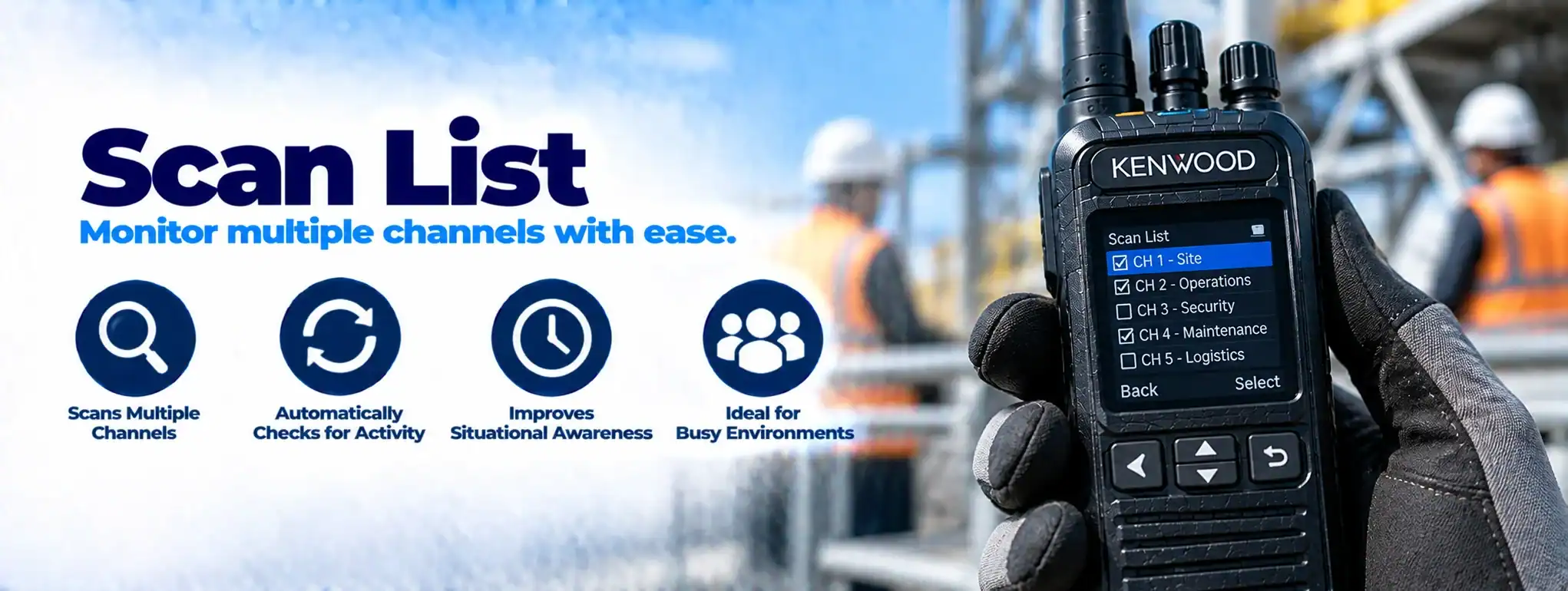
Scan List
A Scan List is a programmed selection of channels or talkgroups that a two-way radio monitors automatically when the user activates the radio’s scanning function.
Instead of manually switching between channels, the radio checks the channels included in the scan list and stops when it detects relevant radio traffic.
For example:
ChannelA two-way radio channel is a programmed set of communication settings, typically including frequency and signalling, that allows compatible radios to communicate with one another. 1 → Security
Channel 2 → Operations
Channel 3 → Maintenance
Channel 4 → Management
A scan list could allow the radio to monitor all four channels.
What does a scan list do?
A scan list tells the radio which channels or talkgroups it should monitor during scanning.
The radio repeatedly checks the programmed entries for activity.
When a transmissionTransmission is the process of sending voice, data or signalling from a radio using a radio-frequency signal to another radio, repeater or communication system. is detected, the radio can stop scanning and allow the user to hear the communication.
Once the communication ends, the radio can resume scanning according to its programmed settings.
Scan list vs scan function
The Scan Function is the radio feature that monitors multiple channels.
The Scan List is the specific collection of channels or talkgroups that the radio has been programmed to monitor.
In simple terms:
Scan Function = What the radio does
Scan List = What the radio scans
How does radio scanning work?
A simplified scanning process is:
Channel 1 → No activity → Channel 2 → Activity detected → Listen → Resume scanning
The radio cycles through the channels included in the scan list.
The exact scanning behaviour depends on the radio manufacturer and programming.
Scan list channels
A scan list can contain multiple radio channels.
For example, a security radioA Security Radio is a professional two-way radio used by security personnel to communicate quickly and reliably, with features such as group calling, emergency alerts, Lone Worker and Man Down. might have:
| Channel | Purpose |
|---|---|
| 1 | Security |
| 2 | Operations |
| 3 | Maintenance |
| 4 | Management |
The scan list determines which of these channels the radio monitors.
Scan list talkgroups
On digital radio systems, scan lists can include Talkgroups rather than only conventional channels.
This allows a radio to monitor communications from multiple operational groups.
For example:
Security → Talkgroup 1
Operations → Talkgroup 2
Maintenance → Talkgroup 3
The exact scanning capabilities depend on the digital radio systemA Radio System is a complete communication solution comprising two-way radios and, where required, equipment such as repeaters, antennas, base stations, mobile radios and network infrastructure..
Scan lists on DMR radios
Digital Mobile Radio (DMR)Digital Mobile Radio (DMR) is an ETSI digital radio standard for professional two-way communications, supporting voice, group calling, data and other features on compatible radio systems. radios can support scanning of compatible channels and talkgroups.
A DMR scan list may contain channels configured with:
- Frequencies
- Talkgroups
- Time slots
- Colour codes
- Other system parameters
The radio uses its programming to determine which communications it can monitor.
Scan list priority channels
Some radios allow one or more channels in a scan list to be designated as Priority Channels.
A priority channel is checked more frequently or given preferential treatment during scanning.
For example:
Priority Channel → Security Control
Other channels → Operations, Maintenance
This can help ensure that important communications are not easily missed.
The exact priority behaviour varies by radio model.
Priority scanning
Priority Scanning allows the radio to give additional attention to selected channels.
This can be useful where one communication group is more important than the others.
For example, a security officer may scan several operational channels while giving priority to the security-control channel.
Scan list and nuisance delete
Some radios provide a Nuisance Delete function.
This allows the user to temporarily remove a channel from the active scan list when it is generating unwanted or unnecessary traffic.
The channel may be restored when scanning is restarted or when the radio is reprogrammed, depending on the radio’s configuration.
Scan list and channel selection
The channel currently selected by the user can sometimes be included in the scan list.
Other radios may use separate scan-list programming.
The exact behaviour depends on the radio and its configuration.
Scan list programming
Scan lists are normally configured using radio programming software.
An engineer can assign channels or talkgroups to the appropriate scan list.
Programming can also determine:
- Priority channels
- Scan behaviour
- Talkback settings
- Nuisance-delete behaviour
- Scan activation
- Channel order
The available options vary between manufacturers.
Scan list and radio programming
The scan list is normally stored as part of the radio’s configuration or CodeplugA Codeplug is the configuration data programmed into a two-way radio that defines its channels, frequencies, talkgroups, radio ID and other operating features..
Changing the scan list may therefore require radio programming software and, depending on the equipment, a programming cableA Programming Cable connects a two-way radio to a computer so compatible programming software can configure, update or service the radio's settings. or authorised programming interface.
Scan list and talkback
Some radios support Talkback Scanning.
With this feature, the radio can temporarily transmit back on the channel from which the most recent communication was received.
This allows the user to respond without manually selecting that channel.
The exact behaviour varies by radio manufacturer.
Scan list and dual-watch
Dual Watch and scanning are related but different functions.
Dual Watch normally monitors two specific channels or communication paths.
A scan list can contain a larger number of channels or talkgroups.
The terminology and available features vary between radio manufacturers.
Scan list and roaming
A scan list should not be confused with RoamingRoaming allows a compatible two-way radio to move between different radio sites or coverage areas, automatically selecting an appropriate site as the user moves..
Scanning: Monitors multiple channels or talkgroups for activity.
Roaming: Allows a compatible radio to move between different radio sites or coverageRadio Coverage is the geographical area in which a two-way radio system can provide reliable communication. Coverage depends on the radios, antennas, frequency, terrain, buildings and system infrastructure. areas.
A radio can potentially support both functions.
Scan list and repeater systems
A scan list can contain channels that use different Repeaters.
For example:
Channel 1 → Site A repeaterA Repeater receives a two-way radio transmission and retransmits it, usually from an elevated location, to extend the coverage and reliability of a radio communication system.
Channel 2 → Site B repeater
Channel 3 → Direct channel
The radio can monitor the configured channels according to its scanning settings.
Scan list and multi-site systems
In larger radio networks, scan lists can allow users to monitor selected communication groups across a wider system.
However, scanning does not necessarily provide the same functionality as roaming or a network-wide talkgroup.
The system architecture determines what can be monitored.
Scan list and emergency communications
Emergency channels or talkgroups can sometimes be included as priority entries in a scan list.
However, emergency communication should not rely solely on scanning.
Professional radio systems can provide dedicated emergency and priority mechanisms designed to ensure important traffic receives appropriate treatment.
Scan list and encryption
If a scanned channel uses EncryptionEncryption protects two-way radio communications by converting voice or data into a secure form that can only be understood by authorised radios with the correct encryption capability and keys., the radio must have the appropriate security configuration to decode the communication.
The radio may detect activity but be unable to produce intelligible audio if it does not have the required encryption configuration.
Scan list and interference
Scanning can cause the radio to encounter channels affected by interferenceRadio interference occurs when unwanted radio-frequency signals or electrical noise disrupt two-way radio communications, causing distorted audio, broken transmissions, reduced coverage or loss of communication. or unwanted traffic.
If a channel is continuously active because of interference, it can occupy the radio’s attention and affect the usefulness of the scan function.
Correct frequencyAn antenna transmits and receives radio-frequency signals, allowing a two-way radio to communicate. Antenna type, frequency, height and location can all affect radio performance and coverage. planning and system configuration are therefore important.
Scan list and busy channels
If one channel in a scan list has frequent or continuous traffic, the radio may spend significant time listening to that channel.
This can reduce the opportunity to monitor other channels.
Priority and scan settings can be adjusted on compatible radios to suit the operational requirement.
Scan list for security
Security teams can use scan lists to monitor multiple communication groups.
For example, a security officer might monitor:
- Security
- Operations
- Control room
- Emergency channel
This can allow the officer to remain aware of activity across several groups without manually changing channels.
Scan list for events
At large events, different teams may use separate communication groups.
A scan list can allow selected staff to monitor more than one group.
For example:
Security
Event Control
Medical
Production
The exact configuration should reflect the user’s operational responsibilities.
Scan list for construction
Construction sites can have separate communication groups for:
- Site management
- Plant
- Security
- Logistics
- Contractors
A scan list can allow supervisors to monitor selected groups.
Scan list for hospitality
Hotels, venues and hospitality operations can use scan lists to monitor multiple operational teams.
For example:
- Front of house
- Maintenance
- Security
- Events
- Management
This can be particularly useful for supervisors who need awareness across several departments.
Scan list for transport
Transport operations can use scanning to monitor selected communication groups.
A supervisor or dispatcher may monitor:
- Drivers
- Operations
- Maintenance
- Security
The appropriate configuration depends on the radio system.
Scan list for agriculture
On large farms and estates, different teams may operate on separate channels.
A scan list can allow supervisors to monitor multiple operational groups.
Scan list and radio hire
Scan lists are commonly configured as part of professional Radio HireRadio Hire is the temporary rental of two-way radios and related communication equipment for events, projects and operational requirements, providing professional communication without purchasing the equipment. systems.
For example, a temporary event radio can be programmed with several communication groups and a scan list that allows supervisors to monitor selected groups.
This can reduce the need for users to manually change channels.
Scan list limitations
Scanning has limitations.
It does not:
- Increase radio range
- Increase system capacity
- Improve RF coverage
- Replace a repeater
- Replace roaming
- Guarantee that every transmission will be heard
A radio can only monitor communications according to its scanning capabilities and configuration.
Scan list and missed communications
Scanning can introduce a small delay because the radio is checking multiple channels.
A transmission may also begin while the radio is monitoring another channel.
For critical communications, system design should consider whether scanning is appropriate.
Scan list and system capacity
Scanning does not create additional communication capacity.
It simply allows a radio to monitor multiple existing communication resources.
Busy radio systems may therefore require additional channels, talkgroups, repeaters or trunking infrastructureRadio infrastructure is the equipment and supporting systems behind a professional two-way radio network, including repeaters, antennas, base stations, network connections, power systems and dispatch equipment. rather than relying on scanning alone.
Scan list configuration
A well-designed scan list should contain only the channels or talkgroups that are relevant to the user’s role.
Including too many channels can make scanning less effective.
For example:
Security Officer → Security + Control + Emergency
may be more useful than scanning every channel used across an entire organisation.
Scan list maintenance
Scan lists may need to be updated when the radio system changes.
Changes can include:
- New channels
- New talkgroups
- Changed frequencies
- New radio sites
- Changes in user responsibilities
- Changes to operational procedures
The radio’s programming should be kept consistent with the current system configuration.
Choosing scan-list settings
When configuring scanning, consider:
- Which channels need to be monitored.
- Which channels are most important.
- Whether priority scanning is required.
- How busy each channel is.
- Whether talkgroups are involved.
- Whether encryption is used.
- Whether the radio also uses roaming.
- The user’s operational responsibilities.
- The likelihood of missed communications.
- Whether scanning is appropriate for critical traffic.
Scan list and DCS
DCS can configure professional two-way radios with scan lists appropriate to the user’s role and radio system.
For events, security operations, construction sites and other multi-channel environments, scanning can allow selected users or supervisors to monitor several communication groups without manually changing channels.